
Can You Install Carplay in Any Car?

You can install Apple CarPlay in many cars, including most modern Kia models, but compatibility depends on your vehicle’s infotainment system and year. While newer Kias come with CarPlay built-in, older models can often be upgraded with aftermarket head units or professional installations.
Key Takeaways
- CarPlay is widely supported: Most new Kia vehicles from 2017 onward include Apple CarPlay as a standard or optional feature.
- Older Kias can be upgraded: If your Kia lacks native CarPlay, you can install an aftermarket head unit that supports it.
- Wired vs. wireless CarPlay: Many Kia models support wired CarPlay, while newer ones offer wireless connectivity for added convenience.
- Professional installation recommended: For seamless integration and safety, have CarPlay installed by a certified technician.
- Check compatibility first: Always verify your Kia’s model, year, and infotainment system before purchasing any upgrade.
- Aftermarket options are affordable: Brands like Pioneer, Kenwood, and Alpine offer CarPlay-compatible units starting under $300.
- Future-proof your drive: Adding CarPlay improves safety, navigation, and entertainment—making every trip smoother.
📑 Table of Contents
- Can You Install CarPlay in Any Car?
- What Is Apple CarPlay and Why Does It Matter?
- Which Kia Models Come with CarPlay?
- Can You Add CarPlay to Older Kia Models?
- Factory-Upgraded CarPlay: Can Kia Add It Later?
- Tips for a Smooth CarPlay Installation in Your Kia
- Benefits of Adding CarPlay to Your Kia
- Common Misconceptions About CarPlay Installation
- Conclusion: Yes, You Can Install CarPlay in (Almost) Any Kia
Can You Install CarPlay in Any Car?
Imagine driving down the highway, your favorite playlist streaming through your car’s speakers, GPS guiding you turn-by-turn, and hands-free messages keeping you connected—all without touching your phone. That’s the magic of Apple CarPlay. But here’s the big question: can you install CarPlay in any car, especially if you drive a Kia?
The short answer is: yes, in most cases. While not every car comes with CarPlay straight from the factory, especially older models, there are plenty of ways to add it. Whether you’re behind the wheel of a brand-new Kia Sportage or a trusty 2015 Kia Soul, you’re likely not far from enjoying the convenience of CarPlay.
Apple CarPlay has become a must-have feature for smartphone users who want a safer, smarter way to interact with their devices while driving. It mirrors key iPhone functions—like Maps, Messages, Music, and Podcasts—onto your car’s infotainment screen, allowing you to control them with voice commands or touch. For Kia owners, this means a more integrated, intuitive driving experience that keeps your eyes on the road and your hands on the wheel.
But how do you know if your Kia can support CarPlay? And what if it doesn’t come with it? Don’t worry—this guide will walk you through everything you need to know, from factory compatibility to aftermarket upgrades, so you can bring CarPlay into your ride no matter what year or model you drive.
What Is Apple CarPlay and Why Does It Matter?
Visual guide about Can You Install Carplay in Any Car?
Image source: eftm.com
Before we dive into installation, let’s quickly cover what Apple CarPlay actually is—and why it’s such a game-changer for drivers.
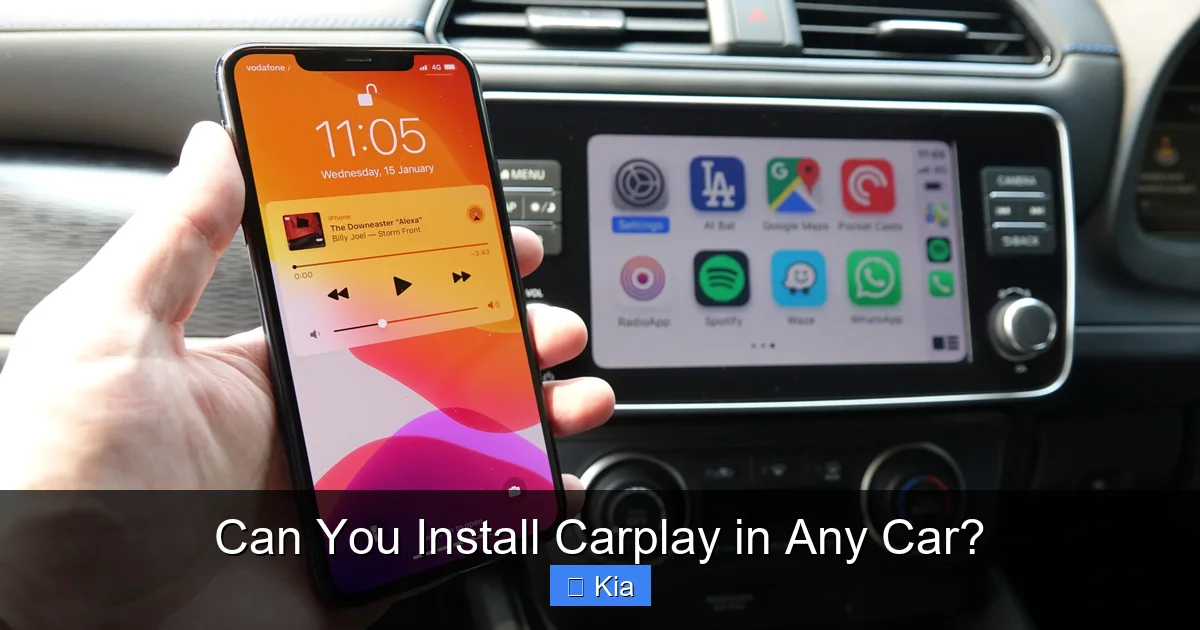
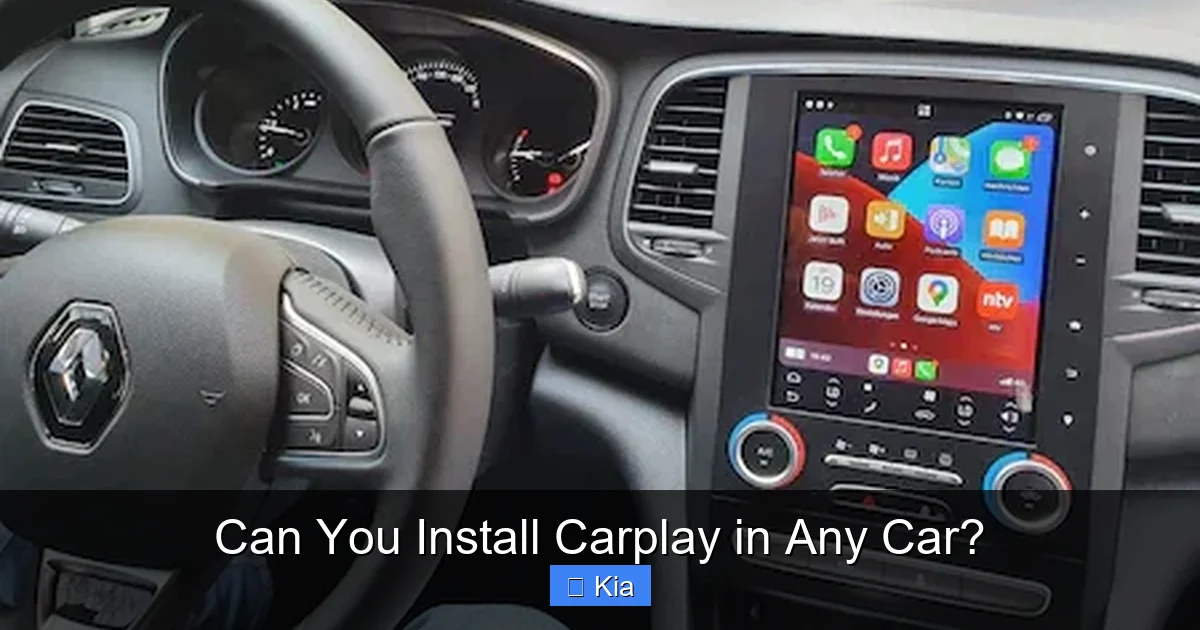
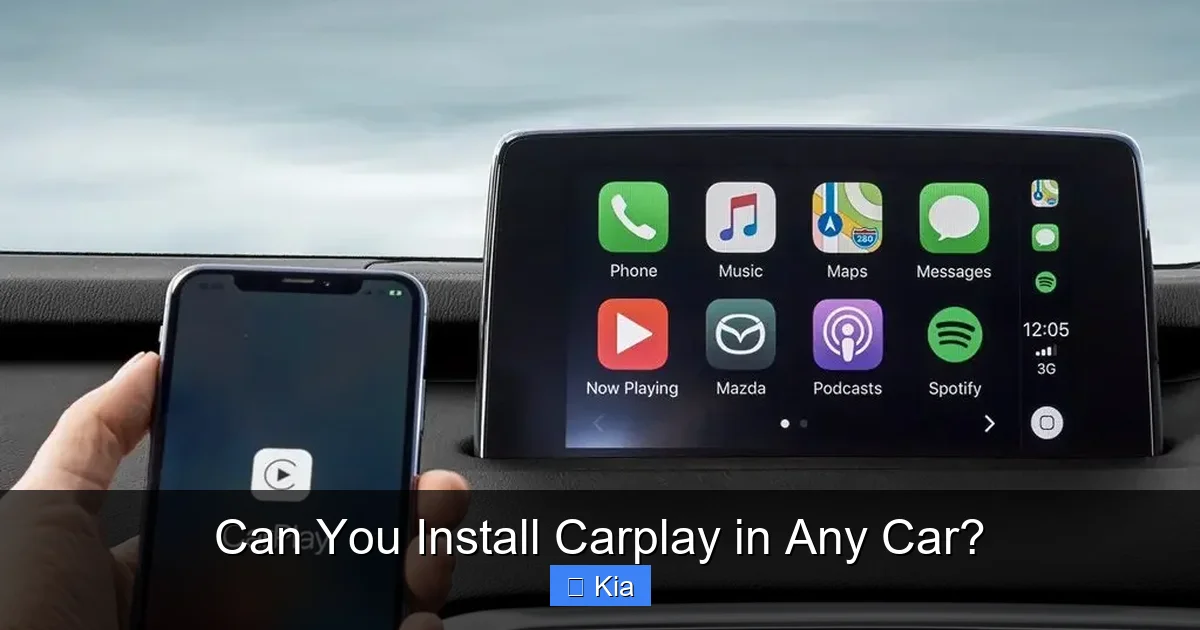
Apple CarPlay is a smart interface that connects your iPhone to your car’s infotainment system. Once connected, it displays a simplified version of your iPhone’s home screen on your dashboard display. From there, you can use Siri voice commands, touch controls, or steering wheel buttons to access apps like Apple Maps, Spotify, WhatsApp, and more.
The real benefit? Safety and convenience. Instead of fumbling with your phone while driving, CarPlay lets you stay focused. Need directions? Just say, “Hey Siri, navigate to the nearest gas station.” Want to send a text? Dictate it hands-free. It’s like having a personal assistant built into your car.
For Kia drivers, CarPlay enhances the already impressive UVO infotainment system found in many models. Whether you’re commuting to work, road-tripping with family, or just running errands, CarPlay makes every journey more enjoyable and less stressful.
And the best part? You don’t need the latest iPhone to use it. CarPlay works with iPhones 5 and newer, as long as they’re running iOS 7.1 or later. So even if your phone isn’t the newest model, you can still enjoy this powerful feature.
Which Kia Models Come with CarPlay?
Visual guide about Can You Install Carplay in Any Car?
Image source: cdn.shopify.com
If you’re driving a newer Kia, there’s a good chance CarPlay is already built into your vehicle. Kia began integrating Apple CarPlay into its lineup around 2017, and since then, it’s become a standard or available feature in most of their vehicles.
Let’s break it down by model and year so you can check if your Kia supports CarPlay out of the box.
Kia Models with Standard or Available CarPlay (2017–2024)
- Kia Soul (2017–2024): Starting in 2017, the Soul offered CarPlay as an option on higher trims. By 2020, it became standard on most models.
- Kia Forte (2019–2024): CarPlay is standard on all Forte trims from 2019 onward, including the Forte5 and Forte GT.
- Kia Optima (2017–2020): Available on EX, SX, and Limited trims. Note: The Optima was discontinued after 2020 and replaced by the K5.
- Kia K5 (2021–2024): All trims come with standard Apple CarPlay, including wireless CarPlay on higher-end models like the GT-Line and GT.
- Kia Sportage (2017–2024): CarPlay is standard on most trims starting in 2017, with wireless support added in 2023 models.
- Kia Seltos (2021–2024): Standard on all trims, including the LX, EX, and SX.
- Kia Sorento (2017–2024): Available on most trims from 2017 onward, with wireless CarPlay introduced in 2021.
- Kia Telluride (2020–2024): Standard on all trims, with wireless CarPlay available on higher trims like the EX and SX.
- Kia Niro (2017–2024): Available on EX and higher trims. The Niro EV and Plug-in Hybrid also support CarPlay.
- Kia Stinger (2018–2023): Standard on all trims, with wireless CarPlay added in 2022.
How to Check if Your Kia Has CarPlay
Not sure if your Kia supports CarPlay? Here’s how to find out:
- Check the infotainment screen: Look for a CarPlay or smartphone integration icon on the home screen.
- Consult your owner’s manual: Search for “Apple CarPlay” in the index or infotainment section.
- Visit Kia’s official website: Use the “Build & Price” tool for your specific model and year to see available features.
- Ask your dealer: A Kia service advisor can confirm compatibility based on your VIN.
If your Kia is from 2017 or later and has a touchscreen infotainment system (usually 7 inches or larger), there’s a strong chance it supports CarPlay—especially if it’s a mid-to-high trim.
Can You Add CarPlay to Older Kia Models?
Visual guide about Can You Install Carplay in Any Car?
Image source: car-images.bauersecure.com
Now, what if you’re driving a Kia from before 2017—or one that doesn’t have CarPlay built-in? Don’t worry. You’re not out of luck. Many older Kia models can be upgraded to support Apple CarPlay using aftermarket solutions.
Aftermarket Head Units: The Most Common Upgrade
The most popular and effective way to add CarPlay to an older Kia is by installing an aftermarket double-DIN head unit. These are replacement car stereos that fit into your dashboard and offer modern features like CarPlay, Android Auto, Bluetooth, and HD radio.
Brands like Pioneer, Kenwood, Alpine, and Sony offer a wide range of CarPlay-compatible units. Prices typically start around $250 and go up to $800 or more for premium models with wireless CarPlay, built-in navigation, and high-resolution displays.
What You’ll Need for Installation
Upgrading your Kia’s stereo isn’t as simple as plugging in a new device. You’ll need a few key components:
- Double-DIN head unit with CarPlay: Make sure it’s compatible with your iPhone and supports either wired or wireless CarPlay.
- Dash kit: A frame that allows the new head unit to fit securely in your Kia’s dashboard. Kia-specific kits are available for models like the Soul, Forte, and Sportage.
- Wiring harness: This connects the new stereo to your car’s electrical system without cutting factory wires.
- Antenna adapter (if needed): Ensures your radio signal works properly with the new unit.
- Steering wheel control adapter (optional): Lets you keep using your steering wheel buttons to control volume, track skipping, and more.
Wired vs. Wireless CarPlay
When choosing an aftermarket head unit, you’ll need to decide between wired and wireless CarPlay.
- Wired CarPlay: Requires a Lightning cable to connect your iPhone to the head unit. It’s reliable, fast, and works with all iPhones. Most budget-friendly units offer this option.
- Wireless CarPlay: Connects via Bluetooth and Wi-Fi, so no cable is needed. It’s more convenient but may have slight lag or connectivity issues in some environments. Available on higher-end models.
For most Kia owners, wired CarPlay is a solid choice—especially if you already charge your phone in the car. But if you value convenience and don’t mind spending a bit more, wireless is worth considering.
Professional Installation vs. DIY
You can install an aftermarket head unit yourself if you’re handy with tools and electronics. However, for most people, we recommend professional installation.
Why? Modern cars, including Kias, have complex wiring and safety systems. A mistake during installation could damage your infotainment system, disable airbags, or even cause electrical issues. Plus, professional installers often include warranties and can integrate features like steering wheel controls and backup cameras seamlessly.
Many Kia dealerships and third-party car audio shops offer CarPlay upgrade services. Expect to pay between $200 and $500 for parts and labor, depending on the unit and complexity.
Factory-Upgraded CarPlay: Can Kia Add It Later?
You might be wondering: can Kia itself add CarPlay to an older model? Unfortunately, the answer is usually no.
Unlike some features that can be enabled via software updates (like remote start or keyless entry), CarPlay requires specific hardware—such as a compatible processor, USB port, and software integration—that older Kia infotainment systems simply don’t have.
So while Kia can’t “retrofit” CarPlay into older vehicles, they do offer upgrade programs for certain models. For example, some dealerships may offer trade-in incentives or financing options to help you move into a newer Kia that includes CarPlay standard.
If you love your current Kia but want CarPlay, your best bet is an aftermarket solution. It’s affordable, effective, and can be done without trading in your vehicle.
Tips for a Smooth CarPlay Installation in Your Kia
Ready to bring CarPlay into your Kia? Here are some practical tips to ensure a successful installation.
1. Choose the Right Head Unit
Not all CarPlay units are created equal. Look for one that:
- Supports your iPhone model and iOS version
- Has good reviews for reliability and ease of use
- Includes features you want, like HD radio, Bluetooth, or backup camera input
- Fits your budget—aim for at least $300 for a quality unit
Popular models include the Pioneer DMH-WT7600NEX (wireless CarPlay) and the Kenwood DMX907S (wired CarPlay with excellent sound quality).
2. Preserve Steering Wheel Controls
One of the biggest perks of modern cars is steering wheel audio controls. When upgrading your stereo, make sure to use a steering wheel control adapter (like the Axxess ASWC-1) to keep these functions working.
This small device translates signals from your steering wheel buttons to the new head unit, so you can still adjust volume, skip tracks, and answer calls without reaching for the dash.
3. Don’t Forget the Backup Camera
If your Kia has a backup camera, make sure your new head unit supports it. Most CarPlay units have a dedicated camera input. During installation, the technician can route the camera feed to the new screen, so you still get that helpful rear view when reversing.
4. Test Everything Before Finalizing
Once the installation is complete, test all functions:
- Connect your iPhone and launch CarPlay
- Try voice commands with Siri
- Play music, make a call, and use Maps
- Check steering wheel controls and camera (if applicable)
If anything doesn’t work, speak up. A good installer will fix issues on the spot.
5. Keep Your Old Stereo Just in Case
Before removing your factory stereo, take photos of the wiring and keep the original unit. If you ever sell your Kia or want to revert to the factory system, having the original parts makes it much easier.
Benefits of Adding CarPlay to Your Kia
So, is it worth the effort and cost to install CarPlay in your Kia? Absolutely. Here’s why:
Safer Driving
CarPlay reduces distractions by letting you use your phone without looking at it. Siri handles messages, calls, and navigation, so you can keep your eyes on the road.
Better Navigation
Apple Maps (or Google Maps via CarPlay) gives you real-time traffic updates, alternate routes, and voice-guided directions—far better than most factory navigation systems.
Seamless Entertainment
Stream music, podcasts, and audiobooks from apps like Spotify, Apple Music, and Audible. CarPlay organizes your content and lets you control playback easily.
Future-Proof Your Vehicle
Even if your Kia is a few years old, adding CarPlay makes it feel modern and up-to-date. It can also increase your car’s resale value.
Easy Integration with iPhone
If you’re already in the Apple ecosystem, CarPlay feels natural. Your contacts, calendars, and preferences sync automatically.
Common Misconceptions About CarPlay Installation
Let’s clear up a few myths that might be holding you back.
Myth 1: “Only New Cars Can Have CarPlay”
False. While newer Kias come with it standard, older models can be upgraded with aftermarket units. You don’t need a 2024 model to enjoy CarPlay.
Myth 2: “Installing CarPlay Will Void My Warranty”
Not necessarily. Modifying your infotainment system doesn’t automatically void your entire warranty. However, if damage occurs due to the installation, the repair may not be covered. Always use a reputable installer and keep records.
Myth 3: “CarPlay Only Works with Expensive Head Units”
Nope. You can find reliable CarPlay units for under $300. While premium models offer extras like wireless connectivity and larger screens, budget options still deliver core functionality.
Myth 4: “I Need an iPhone 15 to Use CarPlay”
Not true. CarPlay works with iPhones 5 and newer, as long as they’re updated to a compatible iOS version. Even older iPhones can enjoy the feature.
Conclusion: Yes, You Can Install CarPlay in (Almost) Any Kia
So, can you install CarPlay in any car? For Kia owners, the answer is a resounding yes—especially if you’re willing to explore aftermarket options.
Whether your Kia is brand new or a decade old, there’s a path to enjoying Apple CarPlay. Newer models come with it built-in, while older ones can be upgraded with affordable, high-quality head units. With professional installation, you can preserve factory features like steering wheel controls and backup cameras, ensuring a seamless experience.
Adding CarPlay isn’t just about convenience—it’s about safety, connectivity, and making every drive more enjoyable. So don’t let an older infotainment system hold you back. Upgrade your Kia today and start enjoying the smart, intuitive interface that millions of drivers already love.
Your next road trip, commute, or errand run will thank you.
Frequently Asked Questions
Can I install CarPlay in a 2015 Kia Soul?
Yes, you can install CarPlay in a 2015 Kia Soul using an aftermarket head unit. While it doesn’t come with CarPlay factory-installed, a compatible double-DIN stereo with CarPlay support can be added with the right dash kit and wiring harness.
Does CarPlay work with Android phones?
No, Apple CarPlay only works with iPhones. If you use an Android phone, you’ll want to look for Android Auto, which offers similar functionality and is supported by many of the same aftermarket head units.
Is wireless CarPlay worth the extra cost?
Wireless CarPlay is convenient because it eliminates the need for a cable, but it can be slightly less reliable in areas with weak Wi-Fi or Bluetooth signals. If you value convenience and don’t mind occasional lag, it’s worth the upgrade.
Will installing CarPlay affect my Kia’s warranty?
Installing an aftermarket head unit won’t void your entire warranty, but any damage caused by the installation may not be covered. Always use a certified installer and keep documentation.
Can I keep my factory backup camera when adding CarPlay?
Yes, most CarPlay-compatible head units support backup camera input. During installation, the technician can connect your existing camera to the new screen so it still works when reversing.
Do I need to update my iPhone to use CarPlay?
Yes, your iPhone must be running iOS 7.1 or later to use CarPlay. For the best experience, keep your iPhone updated to the latest iOS version supported by your device.
