
How to Program Chevrolet Garage Door Opener

Programming your Chevrolet garage door opener is easier than you think—whether you drive a Silverado, Tahoe, or Equinox, this guide walks you through every step. With clear instructions, model-specific tips, and troubleshooting advice, you’ll have your car syncing with your garage in no time.
So, you just pulled into your driveway, reached for the garage remote—and realized it’s sitting on the kitchen counter. Again. Sound familiar? We’ve all been there. But what if you didn’t need that separate remote at all? What if your Chevrolet could open the garage door with the push of a button already built into your dashboard?
That’s right—many modern Chevrolet vehicles come equipped with a Homelink system, a wireless control feature that lets you program your garage door opener directly into your car. No more fumbling for remotes, no more worrying about losing them in the couch cushions. Just smooth, seamless access every time you come home.
But here’s the catch: while the technology is built in, actually getting it to work can feel a bit like solving a puzzle. The steps vary slightly depending on your vehicle model and the type of garage door opener you have. Some people get it on the first try; others spend 20 minutes pressing buttons and wondering if they’re doing it right. That’s why we’re here—to demystify the process, break it down into simple steps, and help you program your Chevrolet garage door opener like a pro.
Whether you drive a rugged Silverado, a family-friendly Traverse, or a sleek Malibu, this guide covers everything you need to know. We’ll walk you through locating the Homelink buttons, clearing old codes, syncing with your garage door motor, and troubleshooting common issues. By the end, you’ll be opening your garage with confidence—and maybe even impressing your neighbors with your tech-savvy skills.
Key Takeaways
- Compatibility matters: Most Chevrolet vehicles from 2007 onward support built-in garage door opener programming via the Homelink system.
- Locate the Homelink buttons: Usually found on the overhead console or rearview mirror, these are your gateway to programming.
- Clear old codes first: Always erase previous settings before adding a new garage door opener to avoid interference.
- Use the “Learn” button on your opener: This small button on your garage door motor is essential for syncing with your vehicle.
- Test immediately after programming: Always verify the connection works before leaving your driveway.
- Troubleshooting is normal: If it doesn’t work the first time, don’t panic—common fixes include battery checks and distance adjustments.
- Professional help is available: If all else fails, your Chevrolet dealer or garage door technician can assist.
📑 Table of Contents
What Is the Chevrolet Garage Door Opener System?
The Chevrolet garage door opener system is part of the Homelink Universal Transceiver, a wireless technology integrated into many GM vehicles, including Chevrolets. Homelink allows you to control up to three compatible devices—like garage doors, gates, or even home lighting systems—directly from your car. It uses radio frequencies to communicate with your garage door opener, eliminating the need for a separate handheld remote.
Homelink has been around since the late 1990s, but it’s become more refined and widely available in recent years. Most Chevrolet models from 2007 onward include Homelink buttons, typically located on the overhead console near the sun visors or integrated into the rearview mirror. These buttons are usually labeled with a house icon or the word “Homelink,” and they’re designed to be intuitive and easy to use.
One of the best things about Homelink is its compatibility. It works with the majority of garage door openers manufactured after 1993, especially those using rolling code technology (also known as “Intellicode” or “Security+”). This means that even if your garage door opener is a few years old, there’s a good chance it will work with your Chevrolet’s system.
But here’s a key point: Homelink doesn’t “replace” your garage door opener—it communicates with it. Think of it as a remote control built into your car. When you press the programmed Homelink button, it sends a signal to your garage door motor, telling it to open or close. The magic happens when you sync the two devices so they recognize each other.
It’s also worth noting that Homelink isn’t just for garage doors. You can use it to control gate systems, exterior lighting, or even security systems—anything that operates on a compatible radio frequency. This makes it a versatile tool for streamlining your daily routine.
How Does Homelink Work?
At its core, Homelink uses radio frequency (RF) signals to communicate with your garage door opener. When you press a programmed Homelink button, it transmits a specific code to the garage door motor. If the motor recognizes that code, it activates—opening or closing the door.
But here’s where it gets smart: modern garage door openers use rolling code technology. This means the code changes every time you use the remote, making it nearly impossible for someone to “steal” your signal and break in. Homelink is designed to work with these rolling codes, syncing with your opener to ensure secure, reliable operation.
The process works like this: when you program Homelink, it learns the unique signal from your garage door remote. Then, when you press the Homelink button, it sends that same signal—plus a rolling code update—to the opener. The opener recognizes the signal and responds accordingly.
This system is not only convenient but also secure. Unlike older fixed-code remotes, which could be vulnerable to signal cloning, rolling code technology adds a layer of protection that keeps your home safe.
Which Chevrolet Models Have Homelink?
Most Chevrolet vehicles manufactured from 2007 onward come with Homelink capability. However, it’s not always standard—some trim levels or packages may require an upgrade. Here’s a quick rundown of popular models that typically include Homelink:
– **Chevrolet Silverado** (1500, 2500, 3500): Available on LT, LTZ, and High Country trims.
– **Chevrolet Tahoe & Suburban**: Standard on most trims, especially higher-end models.
– **Chevrolet Traverse**: Included in Premier and High Country trims.
– **Chevrolet Equinox**: Available on LT and Premier trims.
– **Chevrolet Malibu**: Found on Premier and RS trims.
– **Chevrolet Camaro**: Available on 2SS and 3LT trims.
– **Chevrolet Corvette**: Standard on most models.
If you’re not sure whether your vehicle has Homelink, check the overhead console or rearview mirror for three small buttons labeled with a house icon. You can also consult your owner’s manual or contact your local Chevrolet dealer with your VIN to confirm.
Step-by-Step Guide to Programming Your Chevrolet Garage Door Opener
Visual guide about How to Program Chevrolet Garage Door Opener
Image source: familyhandyman.com
Now that you know what Homelink is and whether your Chevrolet has it, let’s get to the good stuff: programming it. The process is straightforward, but it requires attention to detail. Follow these steps carefully, and you’ll have your garage door opening with the touch of a button in under 10 minutes.
Step 1: Locate the Homelink Buttons
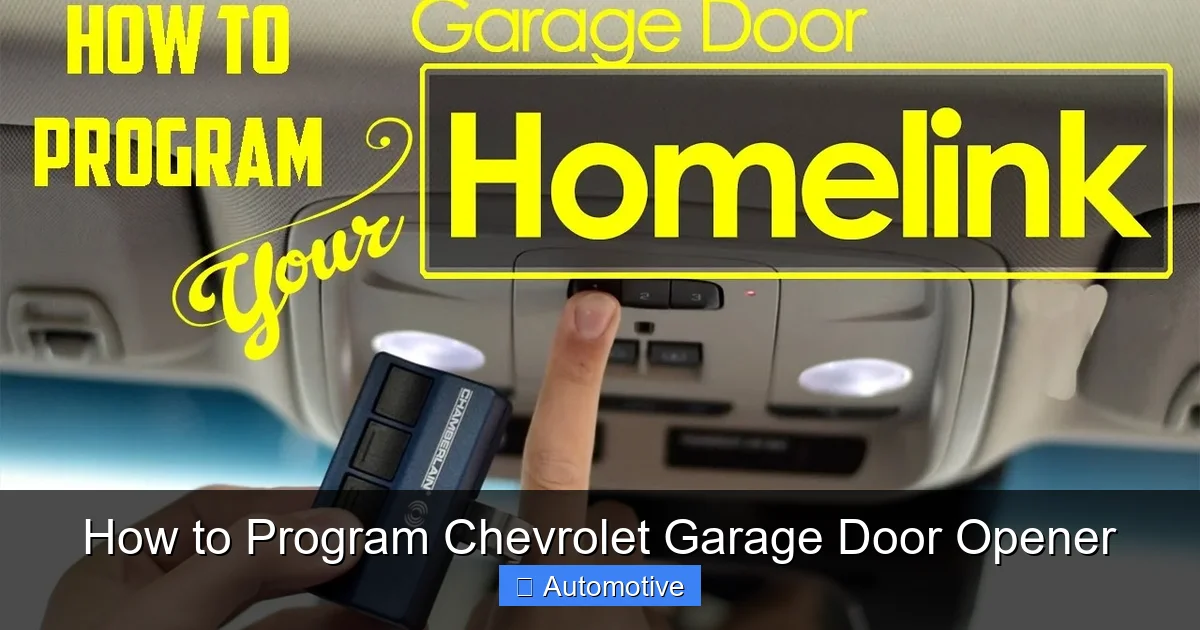
First, find the Homelink buttons in your vehicle. They’re usually located in one of two places:
– **Overhead Console:** Look just above the rearview mirror, near the sun visors. You’ll see three small buttons, often labeled with a house icon or the word “Homelink.”
– **Integrated into the Rearview Mirror:** In some newer models, the Homelink buttons are built directly into the mirror housing.
Once you’ve found them, note which button you want to program (you can use any of the three). It’s a good idea to label them mentally—Button 1 for the garage, Button 2 for the gate, etc.—so you don’t get confused later.
Step 2: Clear Existing Codes (If Needed)
Before programming a new device, it’s best to clear any old or unused codes from the Homelink system. This ensures there’s no interference and gives you a clean slate.
To do this:
1. Press and hold the first and third Homelink buttons simultaneously.
2. Hold them for about 10–20 seconds, or until the indicator light begins to flash rapidly.
3. Release the buttons. The system is now cleared.
Note: This step erases all programmed devices, so if you’ve already programmed other devices (like a gate or lighting system), you’ll need to reprogram them afterward.
Step 3: Prepare Your Garage Door Remote
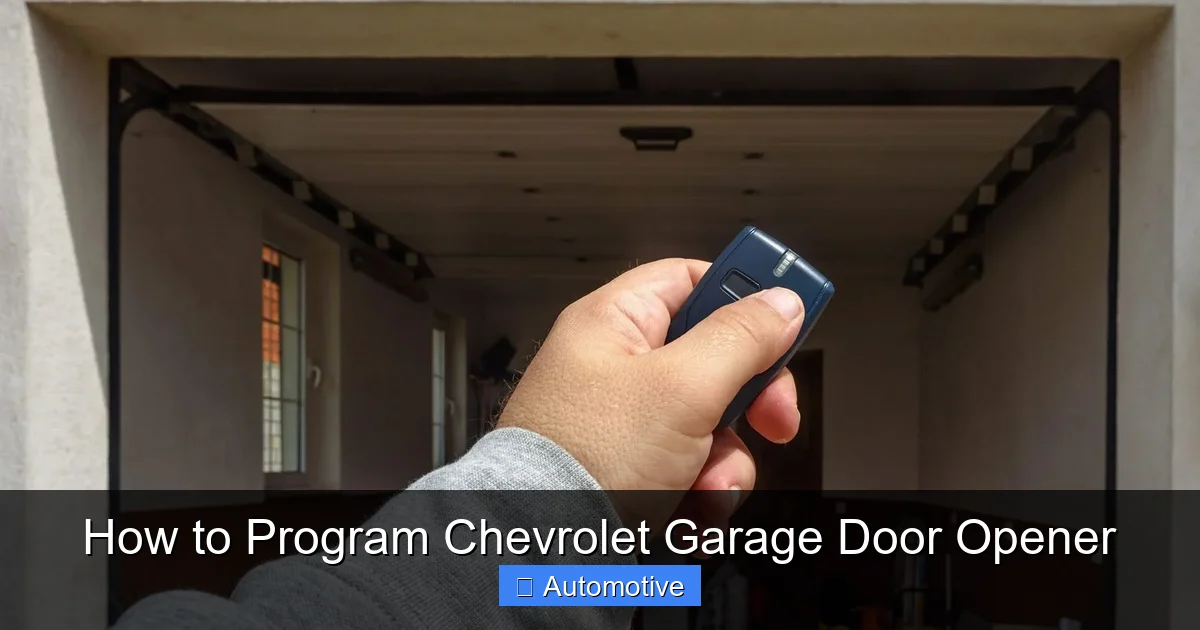
Next, grab your handheld garage door remote—the one that came with your opener. You’ll use this to “teach” your Chevrolet the correct signal.
Make sure the remote has fresh batteries and is working properly. Test it by pressing the button and confirming the garage door responds.
Step 4: Program the Homelink Button
Now it’s time to sync your remote with the Homelink system. Here’s how:
1. Press and hold the Homelink button you want to program.
2. While holding the Homelink button, press and hold the button on your garage door remote.
3. Hold both buttons down for about 10–30 seconds, or until the Homelink indicator light changes (usually from slow blink to rapid blink or solid light).
4. Release both buttons.
At this point, the Homelink system has learned the signal from your remote. But we’re not done yet—there’s one more step.
Step 5: Sync with the Garage Door Opener’s “Learn” Button
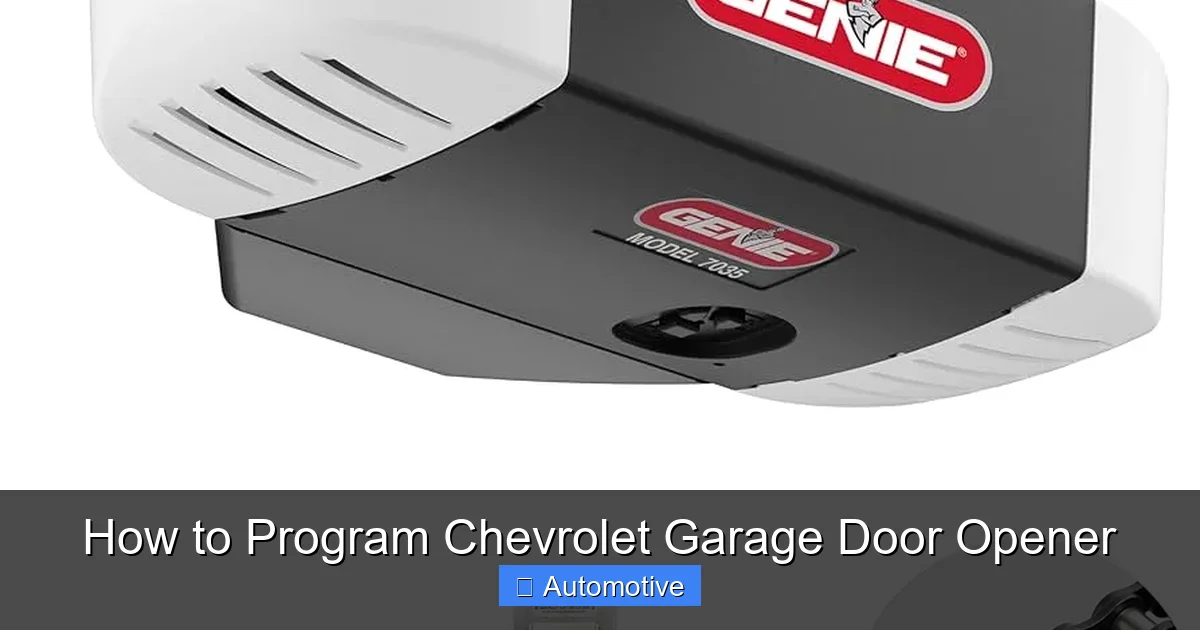
Most modern garage door openers have a “Learn” or “Smart” button on the motor unit—usually located on the back or side, near the antenna wire. This button is essential for completing the programming process.
Here’s what to do:
1. Locate the “Learn” button on your garage door opener motor. It’s often yellow, red, purple, or green, and may be labeled “Learn,” “Program,” or “Smart.”
2. Press and release the “Learn” button. A light on the motor will usually blink or stay on, indicating it’s ready to receive a signal.
3. Within 30 seconds, return to your vehicle and press the newly programmed Homelink button three times.
Each press sends a signal to the opener. After the third press, the opener should recognize the Homelink signal and sync with it.
Step 6: Test the System
Now it’s time to test! Close your garage door completely, then press the Homelink button from inside your vehicle. The door should open smoothly.
If it works, congratulations—you’ve successfully programmed your Chevrolet garage door opener! If not, don’t worry. We’ll cover troubleshooting in the next section.
Troubleshooting Common Programming Issues
Visual guide about How to Program Chevrolet Garage Door Opener
Image source: geniedoortips.com
Even with clear instructions, things don’t always go perfectly the first time. Here are some common problems and how to fix them.
The Homelink Button Doesn’t Respond
If pressing the Homelink button does nothing, check the following:
– **Distance:** You must be within 3–5 feet of the garage door opener motor when programming. Move closer if you’re too far away.
– **Battery in Remote:** A weak battery in your handheld remote can prevent signal transmission. Replace it and try again.
– **Homelink Light Not Flashing:** If the indicator light doesn’t flash during programming, the system may not be receiving power. Check your vehicle’s fuse box (usually under the dashboard or hood) and ensure the Homelink fuse is intact.
The Garage Door Opens Partway Then Stops
This usually indicates a signal interference or alignment issue. Try these fixes:
– **Reposition the Vehicle:** Park directly in front of the garage door, centered and close to the motor.
– **Clear Obstructions:** Make sure nothing is blocking the signal path between your car and the opener (like metal objects or thick walls).
– **Reset and Reprogram:** Sometimes, starting over solves the problem. Clear the Homelink codes and repeat the programming steps.
The “Learn” Button Doesn’t Work
If pressing the “Learn” button on your opener doesn’t trigger a light or response:
– **Check Power:** Ensure the opener is plugged in and receiving power. Try turning the circuit breaker off and on.
– **Button Location:** Some openers have the “Learn” button under a light cover or behind a panel. Consult your opener’s manual.
– **Older Openers:** If your opener was made before 1993, it may not support rolling codes. In this case, Homelink may not be compatible.
Homelink Works Intermittently
If the system works sometimes but not always, it could be due to:
– **Low Car Battery:** A weak vehicle battery can reduce Homelink signal strength. Charge or replace the battery.
– **Signal Interference:** Nearby electronic devices (like Wi-Fi routers or cordless phones) can interfere with RF signals. Try programming at a different time of day.
– **Weather Conditions:** Heavy rain or snow can sometimes affect signal transmission. Test on a clear day.
Advanced Tips for Better Performance
Visual guide about How to Program Chevrolet Garage Door Opener
Image source: i.ytimg.com
Once you’ve got the basics down, here are some pro tips to make your Homelink system even more reliable and convenient.
Use All Three Buttons Wisely
Homelink supports up to three devices. Use them strategically:
– **Button 1:** Main garage door.
– **Button 2:** Side gate or backyard gate.
– **Button 3:** Exterior lighting or security system.
This way, you can control multiple aspects of your property without leaving the car.
Keep Your System Updated
Garage door openers and vehicle systems receive firmware updates. While Homelink doesn’t require manual updates, it’s a good idea to:
– Check for vehicle software updates at your Chevrolet dealer.
– Replace your garage door opener if it’s more than 15 years old—newer models offer better security and compatibility.
Label Your Buttons
If you have multiple programmed devices, label the Homelink buttons with small stickers or tape. This prevents confusion, especially if multiple drivers use the vehicle.
Test Monthly
Make it a habit to test your Homelink system once a month. This ensures it’s still working and helps you catch issues early.
When to Call a Professional
Most people can program their Chevrolet garage door opener without help. But if you’ve tried everything and it still won’t work, it’s time to call in the experts.
Consider professional help if:
– Your garage door opener is very old or damaged.
– The Homelink system still doesn’t respond after multiple attempts.
– You suspect a wiring or electrical issue in your vehicle.
– You’re uncomfortable working with electronics or climbing ladders to access the opener motor.
Your local Chevrolet dealer can assist with vehicle-side issues, while a certified garage door technician can help with opener problems. Many offer same-day service, so you won’t be stuck without garage access for long.
Conclusion
Programming your Chevrolet garage door opener might seem like a small task, but it makes a big difference in your daily life. No more fumbling for remotes, no more worrying about forgetting them at home. With Homelink, your car becomes the ultimate key to your property.
The process is simple once you know the steps: locate the buttons, clear old codes, sync with your remote, press the “Learn” button, and test. Even if you run into a hiccup, most issues are easy to fix with a little patience.
And remember—this isn’t just about convenience. It’s about security, efficiency, and making your life a little easier. Whether you’re pulling into the driveway after a long day or heading out early in the morning, your Chevrolet can now open the garage with a single touch.
So go ahead—give it a try. You might be surprised how satisfying it is to hear that garage door rumble to life, all thanks to a button on your dashboard. Welcome to the future of home access.
Frequently Asked Questions
Can I program my Chevrolet garage door opener without the original remote?
Unfortunately, no. The original handheld remote is required to teach the Homelink system the correct signal. If you’ve lost your remote, contact your garage door opener manufacturer or a technician to get a replacement.
Does Homelink work with all garage door openers?
Homelink works with most openers made after 1993, especially those using rolling code technology. Older fixed-code openers may not be compatible. Check your opener’s manual or look for a “Learn” button to confirm.
How many devices can I program with Homelink?
You can program up to three devices using the three Homelink buttons. This includes garage doors, gates, lighting systems, or security devices—all controlled from your car.
Why won’t my Homelink button stay programmed?
This could be due to a weak car battery, signal interference, or a problem with the garage door opener. Try reprogramming, checking the battery, and ensuring you’re close to the opener during setup.
Can I program Homelink if my Chevrolet is parked outside the garage?
It’s best to program Homelink while parked inside or very close to the garage. The signal needs to reach the opener motor, so distance and obstacles can affect success.
Is it safe to use Homelink with rolling code openers?
Yes, Homelink is designed to work securely with rolling code technology. Each signal is unique and changes with use, making it highly resistant to hacking or signal theft.
