
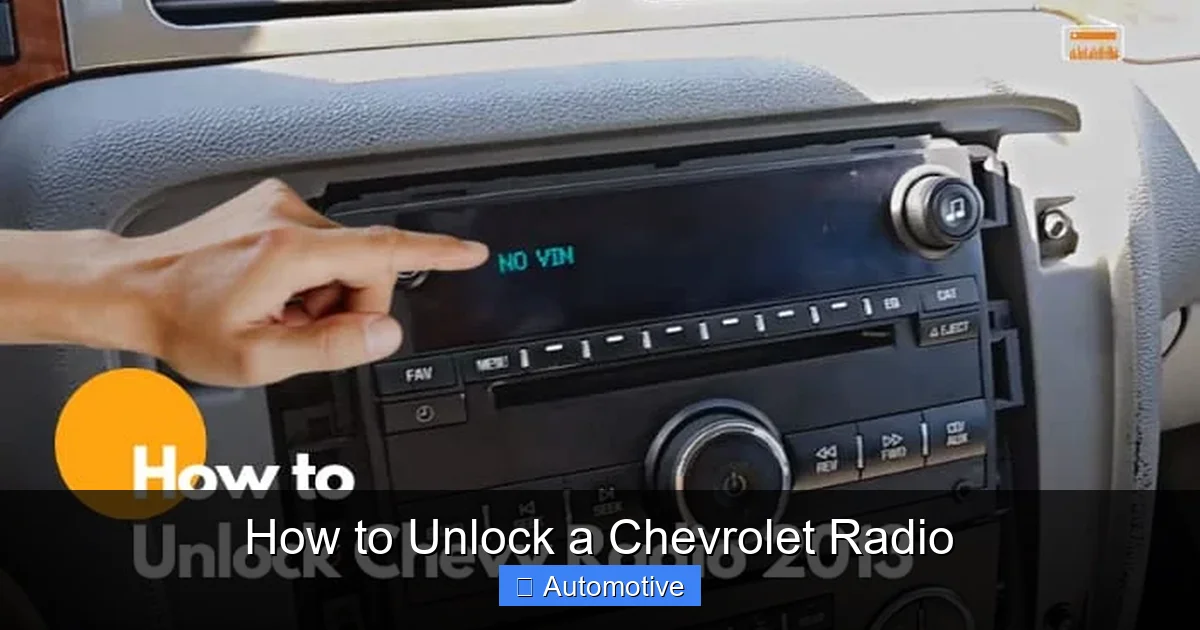
How to Unlock a Chevrolet Radio

If your Chevrolet radio is locked and won’t turn on, don’t panic—there are several proven methods to restore functionality. This guide walks you through factory resets, using your radio code, contacting OnStar, and more, so you can get back to your favorite tunes in no time.
Key Takeaways
- Most Chevrolet radios lock after a power loss or battery disconnect. This anti-theft feature protects your system but can be frustrating if you don’t have the code.
- Check your owner’s manual or glove box for a radio code card. Many Chevrolet vehicles come with a pre-printed code sticker or card included at purchase.
- Use the radio’s preset buttons to enter the code. Once you have the 4-digit code, input it using the numbered preset buttons (1–4) on your radio.
- Contact your local Chevrolet dealer with your VIN for official code retrieval. Dealerships can access your radio’s serial number and provide the correct code.
- OnStar subscribers may request their radio code through customer service. If your vehicle has active OnStar, they can assist with unlocking your radio remotely.
- Avoid guessing the code repeatedly—too many wrong attempts can permanently lock the radio. Most systems allow only 3–5 tries before requiring a reset or professional help.
- Consider professional help or replacement if all else fails. In rare cases, the radio may need reprogramming or replacement by a certified technician.
📑 Table of Contents
Why Does Your Chevrolet Radio Lock?
You’re driving home from work, listening to your favorite podcast, when suddenly the power goes out—maybe you accidentally unplugged the car battery or there was a short circuit. When you restart your Chevrolet, the radio screen stays dark or displays “LOCKED” or “ENTER CODE.” Sound familiar? Don’t worry—you’re not alone. This is a common issue with many modern Chevrolet vehicles, and it’s actually a built-in security feature designed to deter theft.
Chevrolet radios are equipped with an anti-theft system that activates whenever the radio loses power. This means any time the battery is disconnected, replaced, or drained completely, the radio automatically locks itself to prevent unauthorized use. While this feature protects your investment, it can be incredibly frustrating if you don’t have the unlock code handy. The good news? There are several reliable ways to unlock your Chevrolet radio, and most don’t require special tools or technical expertise.
How the Anti-Theft System Works
The anti-theft system in Chevrolet radios relies on a unique 4-digit code that’s tied to your vehicle’s VIN (Vehicle Identification Number) and the radio’s serial number. When the radio powers back up after a loss of electricity, it checks for this code. If it doesn’t receive the correct sequence within a few attempts, it locks down to prevent brute-force guessing. This system is similar to those used in other GM brands like GMC, Cadillac, and Buick, so the process is often interchangeable across models.
It’s important to understand that this isn’t a malfunction—it’s working exactly as intended. The radio isn’t broken; it’s just waiting for authentication. Think of it like a smartphone that requires a passcode after being turned off. Once you enter the right code, everything returns to normal. The challenge lies in retrieving or remembering that code, especially if you’ve recently purchased a used vehicle or misplaced the original documentation.
Common Scenarios That Trigger a Radio Lock
Several everyday situations can cause your Chevrolet radio to lock:
- Battery replacement or jump-start: Disconnecting the battery, even briefly, cuts power to the radio and triggers the lock.
- Dead battery: If your car battery dies completely and needs a jump, the radio will lock upon restart.
- Fuse replacement: Replacing a blown fuse in the radio circuit can also cause a power interruption.
- Vehicle servicing: Mechanics often disconnect the battery during routine maintenance, which can lock the radio afterward.
- Aftermarket installations: Adding new speakers, amplifiers, or other audio components may involve disconnecting the radio, leading to a lock.
Even something as simple as leaving your headlights on overnight can drain the battery enough to trigger the lock. So if you’ve recently experienced any of these events, it’s no surprise your radio is asking for a code.
Finding Your Chevrolet Radio Code
The first step in unlocking your Chevrolet radio is locating the 4-digit code. This code is unique to your vehicle and radio unit, so there’s no universal “master code” that works for all models. Fortunately, Chevrolet provides several ways to retrieve it, depending on your vehicle year, model, and documentation.
Visual guide about How to Unlock a Chevrolet Radio
Image source: windupradio.com
Check the Owner’s Manual and Glove Box
The most common place to find your radio code is in the owner’s manual or on a small card tucked inside the glove box. When you first purchased your Chevrolet, the dealer typically included a Radio Code Card with the vehicle paperwork. This card lists the 4-digit code along with instructions for entering it.
If you still have the original manual, flip to the “Audio System” or “Security” section. Some manuals include a perforated card or sticker with the code printed directly on it. Even if the code isn’t in the manual itself, check the inside cover or any inserts that came with the vehicle. Many owners overlook this simple step, but it’s often the quickest solution.
Look for a Sticker on the Radio Itself
In some older Chevrolet models (especially those from the 1990s and early 2000s), the radio code may be printed on a small sticker attached directly to the radio unit. To access it, you’ll need to remove the radio from the dashboard—a process that varies by model but usually involves unscrewing trim panels and disconnecting wiring harnesses.
Before attempting this, consult your vehicle’s service manual or search online for a removal guide specific to your Chevrolet model (e.g., Silverado, Malibu, Tahoe). Once the radio is out, look for a white or yellow sticker on the side or back of the unit. The code is often labeled as “RADIO CODE,” “SECURITY CODE,” or “UNLOCK CODE.” Be careful not to damage any wires or components during removal, and consider taking photos before disconnecting anything to help with reinstallation.
Use Your Vehicle Identification Number (VIN)
If you can’t find the code in your paperwork or on the radio, your VIN is your next best bet. Every Chevrolet radio code is generated based on the vehicle’s VIN and the radio’s serial number. With this information, authorized dealers and some online services can calculate or retrieve the correct code.
Your VIN is located in several places: on the driver’s side dashboard (visible through the windshield), on the driver’s door jamb sticker, or on your vehicle registration and insurance documents. Make sure you have the full 17-character VIN ready before contacting a dealer or using an online code retrieval service.
Contact Your Local Chevrolet Dealer
One of the most reliable ways to get your radio code is by visiting or calling your local Chevrolet dealership. Bring your VIN, proof of ownership (like your registration or title), and the radio’s serial number if possible. The service department can access GM’s database and provide the correct 4-digit code for your radio.
Most dealerships offer this service for free or for a small fee, especially if you’re a current customer. Some may require you to schedule an appointment, while others can assist you over the phone. Be prepared to verify your identity and vehicle ownership, as this prevents unauthorized access to radio codes.
Use OnStar or Chevrolet Connected Services
If your Chevrolet is equipped with OnStar or Chevrolet Connected Services and your subscription is active, you may be able to request your radio code remotely. OnStar representatives have access to vehicle-specific data, including radio codes, and can guide you through the unlock process over the phone.
To use this service, call OnStar customer support and provide your VIN and account information. They’ll verify your identity and send the code to you via phone or email. This is a convenient option if you’re on the road and don’t have access to your paperwork or a nearby dealer.
How to Enter the Radio Code
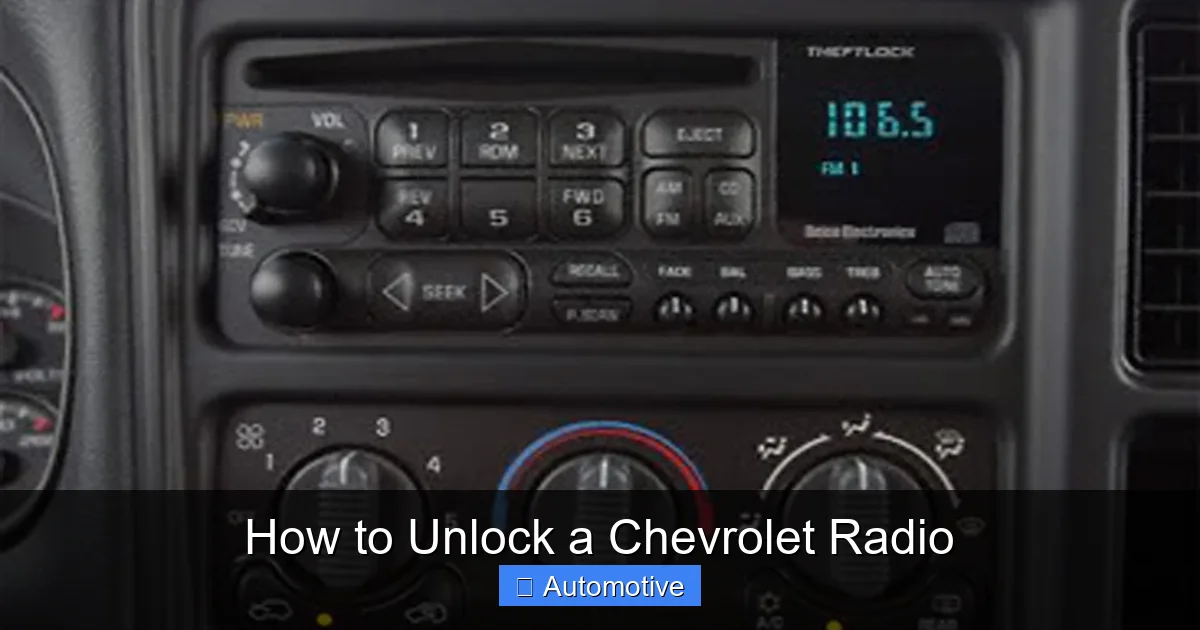
Once you’ve retrieved your 4-digit radio code, the next step is entering it correctly. The process is straightforward but must be done precisely to avoid triggering additional lockouts. Most Chevrolet radios use the preset buttons (labeled 1 through 6) to input the code.
Visual guide about How to Unlock a Chevrolet Radio
Image source: cimg0.ibsrv.net
Step-by-Step Code Entry Process
Here’s how to enter your radio code on most Chevrolet models:
- Turn on the ignition: Do not start the engine—just turn the key to the “ON” or “ACC” position so the radio powers up.
- Wait for the “LOCKED” or “CODE” message: The radio will display a prompt asking for the code.
- Press and hold the “AM/FM” or “SOURCE” button: On some models, this will display the radio’s serial number or enter code mode.
- Use preset buttons 1–4 to enter the code: Each digit corresponds to a preset button. For example, if your code is “2580,” press preset 2 once, preset 5 once, preset 8 once, and preset 0 (usually preset 10 or a combination) once.
- Press the “SEEK” or “SCAN” button to confirm: This finalizes the entry and unlocks the radio.
If entered correctly, the radio will turn on normally, and you’ll regain access to all functions. If you make a mistake, wait a few seconds and try again—but avoid repeated incorrect attempts.
Tips for Successful Code Entry
- Enter the code slowly: Rushing can lead to missed or double-pressed buttons.
- Use a flashlight: If you’re in a dark garage or at night, shine a light on the buttons to ensure accuracy.
- Write down the code: Keep it handy while entering to avoid confusion.
- Don’t guess: If you’re unsure of a digit, double-check your source before proceeding.
What If the Code Doesn’t Work?
If the code you entered doesn’t unlock the radio, double-check the source. Codes from online generators or third-party websites may be incorrect or outdated. Always verify the code with your dealer or OnStar before attempting entry. If the code is confirmed correct but still doesn’t work, the radio may have a hardware issue or require a reset.
What to Do If You Can’t Find the Code
Despite your best efforts, you may still be unable to locate your radio code. Maybe you bought a used Chevrolet and the previous owner didn’t provide the code, or your paperwork was lost in a move. Don’t despair—there are still options available.
Visual guide about How to Unlock a Chevrolet Radio
Image source: cimg0.ibsrv.net
Try a Factory Reset
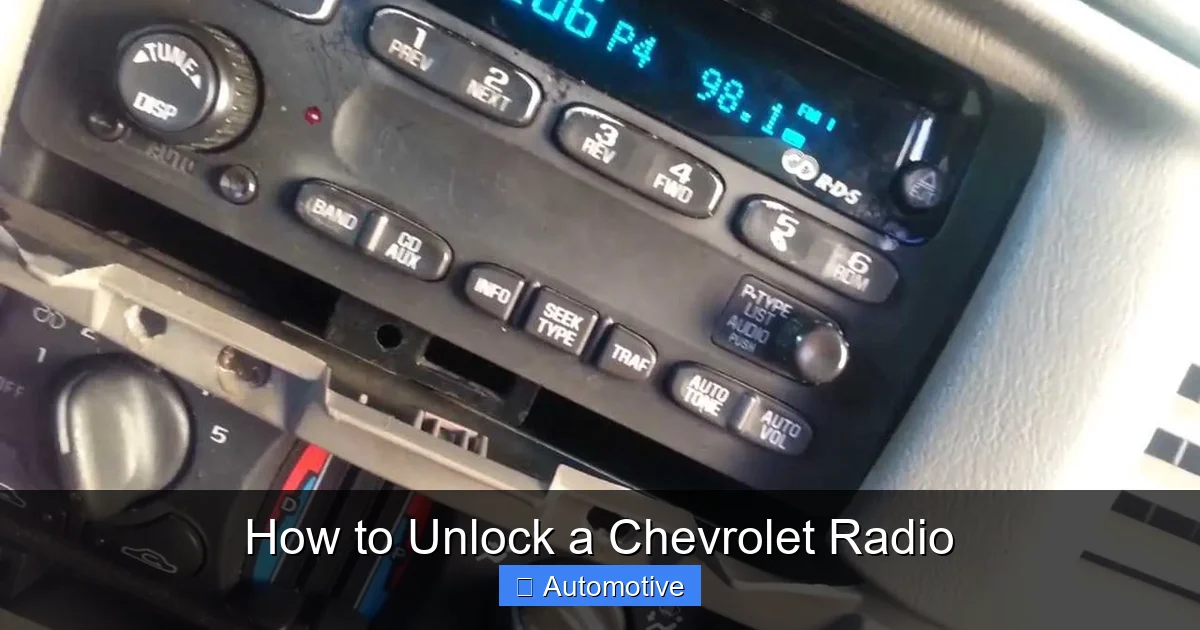
Some Chevrolet radios can be reset to factory settings, which may clear the lock. This process varies by model but often involves holding down specific button combinations while powering on the radio. For example, on certain models, pressing and holding the “POWER” and “TUNE” buttons for 10–15 seconds can initiate a reset.
However, be cautious: a factory reset may erase saved stations, equalizer settings, and Bluetooth pairings. It also won’t work on all models, especially newer ones with advanced security. Always consult your owner’s manual or search for a reset guide specific to your Chevrolet before attempting this.
Use Online Code Retrieval Services
Several reputable websites offer radio code retrieval for a small fee. These services use your VIN and radio serial number to generate the correct code. While convenient, exercise caution—only use trusted sites with positive reviews and secure payment methods. Avoid sites that ask for excessive personal information or promise instant codes without verification.
Popular services include RadioCode4U, RadioCodeCalculator, and GM Radio Code. Most charge between $10 and $20 and deliver the code via email within a few hours. Always confirm the code with your dealer if possible before using it.
Visit an Auto Locksmith or Electronics Specialist
If all else fails, consider consulting a professional. Auto locksmiths and car audio specialists often have the tools and expertise to unlock or reprogram Chevrolet radios. They may use diagnostic equipment to read the radio’s memory or bypass the lock entirely.
This option is more expensive—typically $50 to $150—but can save time and frustration, especially if the radio is deeply locked or damaged. Look for certified technicians with experience in GM vehicles to ensure quality service.
Preventing Future Radio Locks
Once you’ve successfully unlocked your Chevrolet radio, take steps to avoid the same problem in the future. A little preparation can save you hours of hassle down the road.
Save Your Radio Code in Multiple Places
Write down your radio code and store it in several secure locations:
- In your phone’s notes app (password-protected)
- On a sticky note inside your glove box
- In your vehicle’s maintenance logbook
- With your insurance and registration documents
Consider taking a photo of the code card or sticker and saving it in a cloud storage service like Google Drive or iCloud. Just make sure it’s encrypted or password-protected to prevent unauthorized access.
Use a Battery Maintainer
If you don’t drive your Chevrolet regularly, consider using a battery maintainer or trickle charger. These devices keep your battery charged without overcharging, reducing the risk of power loss and radio lock. They’re especially useful for classic cars, seasonal vehicles, or cars stored in garages.
Keep Your Owner’s Manual Handy
Store your owner’s manual in an easily accessible spot, like the glove box or center console. If you’ve laminated or scanned the radio code section, even better. This ensures you’ll always have the information you need, even if you’re away from home.
Educate Family Members
If others drive your Chevrolet—like a spouse, teen, or roommate—make sure they know about the radio lock feature and where to find the code. A quick explanation can prevent panic and repeated lockouts.
When to Consider Radio Replacement
In rare cases, your Chevrolet radio may be beyond repair. If the unit is damaged, outdated, or repeatedly locks despite correct code entry, replacement might be the best option.
Signs You Need a New Radio
- The radio won’t power on even after entering the correct code
- Display is cracked, faded, or unreadable
- Audio quality is poor or distorted
- Bluetooth or USB ports are nonfunctional
- The radio has been physically damaged (e.g., water exposure)
Upgrading to a New System
Replacing your factory radio with an aftermarket unit can improve sound quality, add modern features like Apple CarPlay and Android Auto, and eliminate future lock issues. Many new stereos come with built-in security codes that are easier to manage.
When choosing a replacement, ensure compatibility with your Chevrolet model and consider professional installation for optimal performance. Brands like Pioneer, Kenwood, and Sony offer reliable options with excellent reviews.
Conclusion
Unlocking a Chevrolet radio doesn’t have to be a stressful experience. With the right knowledge and resources, you can restore your audio system in minutes. Whether you retrieve the code from your glove box, contact your dealer, or use OnStar, there’s a solution that fits your situation. Remember to store your code safely, avoid repeated incorrect entries, and consider professional help if needed.
By understanding how the anti-theft system works and taking preventive measures, you can enjoy uninterrupted music, navigation, and entertainment in your Chevrolet for years to come. Don’t let a locked radio ruin your drive—take action today and get back to the soundtrack of your life.
Frequently Asked Questions
What happens if I enter the wrong radio code too many times?
Most Chevrolet radios allow only 3 to 5 incorrect code entries before locking permanently. If this happens, you’ll need to leave the radio powered on for 1–2 hours (or sometimes longer) to reset the attempt counter, or visit a dealer for assistance.
Can I unlock my Chevrolet radio without the code?
Without the correct code, unlocking is difficult but not impossible. Options include using a factory reset (if supported), contacting a dealer with your VIN, or hiring a professional technician with diagnostic tools.
Does disconnecting the battery always lock the radio?
Yes, in most Chevrolet models, any power loss—including battery disconnection—triggers the anti-theft lock. This is a standard security feature across GM vehicles.
Can I use my phone to retrieve the radio code?
Not directly, but you can use your phone to call OnStar, visit dealer websites, or access online code retrieval services. Some apps also store and organize vehicle codes securely.
Is the radio code the same for all Chevrolet models?
No, each radio code is unique to the vehicle and radio unit. Codes vary by model, year, and VIN, so there’s no universal code that works for all Chevrolets.
What if my Chevrolet doesn’t have OnStar?
If your vehicle lacks OnStar, your best options are checking your owner’s manual, contacting a Chevrolet dealer with your VIN, or using a trusted online code retrieval service.
