
What Is Acuralink?

AcuraLink is Acura’s advanced connected vehicle service that brings safety, convenience, and real-time information directly to your car. With features like emergency assistance, remote vehicle control, and navigation support, it enhances every aspect of your driving experience.
Key Takeaways
- AcuraLink is a connected car service: It connects your Acura vehicle to the internet and a 24/7 support center for enhanced safety and convenience.
- It offers multiple subscription tiers: From basic safety features to premium remote access and navigation, there’s a plan for every driver.
- Safety and emergency services are core features: Automatic collision notification, roadside assistance, and emergency calling keep you protected on the road.
- Remote vehicle control via smartphone app: Lock, unlock, start, and locate your car from anywhere using the AcuraLink app.
- Real-time traffic and navigation updates: Get live traffic data, route suggestions, and destination send-to-car functionality.
- Compatible with most modern Acura models: Available on vehicles from 2014 onward, with newer models offering expanded capabilities.
- Easy setup and user-friendly interface: Activation is simple, and the app integrates seamlessly with your daily routine.
📑 Table of Contents
What Is AcuraLink?
Imagine having a personal assistant built right into your car—one that can call for help in an emergency, start your engine from your kitchen, or guide you around traffic jams without you lifting a finger. That’s exactly what AcuraLink delivers. AcuraLink is Acura’s proprietary connected vehicle service, designed to keep drivers safer, more informed, and more connected than ever before.
Launched in the mid-2000s and continuously upgraded over the years, AcuraLink has evolved from a simple emergency response system into a comprehensive digital ecosystem. Today, it’s available on nearly all modern Acura vehicles, from the sleek TLX sedan to the rugged MDX SUV. Whether you’re commuting to work, taking a weekend road trip, or just running errands around town, AcuraLink works quietly in the background—ready to assist when you need it most.
How Does AcuraLink Work?
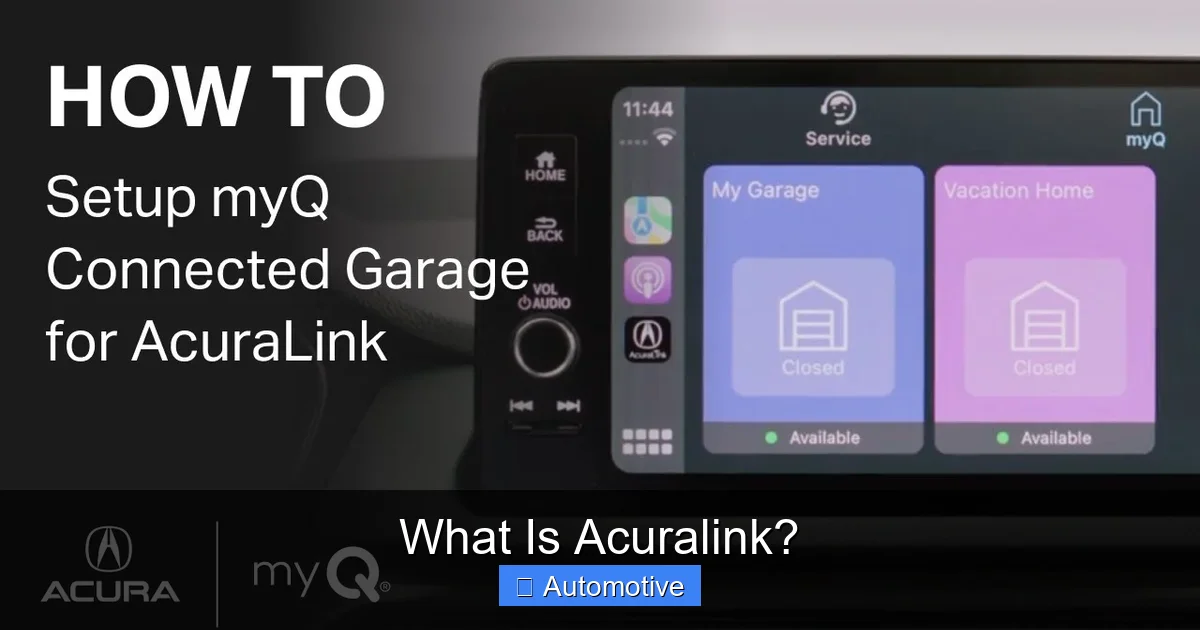
At its core, AcuraLink uses a built-in cellular connection and GPS technology to link your vehicle to Acura’s secure network and support centers. This connection allows data to flow between your car, your smartphone, and Acura’s servers in real time. The system is always on, always listening, and always ready to respond.
Visual guide about What Is Acuralink?
Image source: i.ytimg.com
The Technology Behind the Service
Every Acura equipped with AcuraLink has a telematics control unit (TCU)—a small but powerful device that acts as the brain of the system. This unit communicates with satellites for GPS location, connects to cellular networks for data transmission, and interfaces with your vehicle’s onboard systems. When you use features like remote start or door unlock, your command travels from the AcuraLink app on your phone, through secure servers, and back to your car via the TCU.
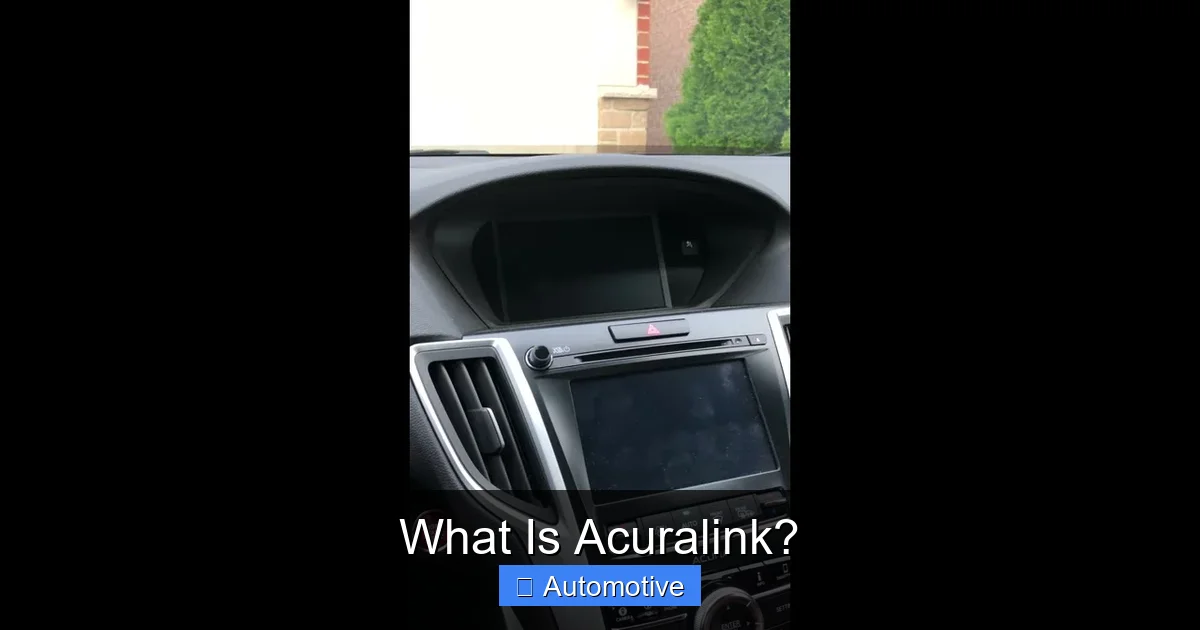
The system also integrates with your vehicle’s infotainment system, allowing you to access features through the dashboard screen or voice commands. For example, you can say “Find nearby gas stations” and AcuraLink will pull up real-time options based on your location and current fuel levels.
Activation and Setup
Getting started with AcuraLink is surprisingly simple. When you purchase a new or certified pre-owned Acura with the service, the dealership typically handles the initial setup. However, you’ll still need to create an account on the AcuraLink website or mobile app and link your vehicle using your VIN (Vehicle Identification Number).
Once activated, you’ll receive a welcome email with login details and instructions. The app will guide you through pairing your phone, setting up emergency contacts, and choosing your preferred notification settings. Most users are up and running in under 10 minutes.
Key Features of AcuraLink
AcuraLink isn’t just one thing—it’s a suite of features grouped into different service tiers. Depending on your vehicle model and subscription level, you’ll have access to a range of tools that enhance safety, convenience, and navigation.
Visual guide about What Is Acuralink?
Image source: i.ytimg.com
Safety and Emergency Services
Safety is the cornerstone of AcuraLink. One of its most valuable features is Automatic Collision Notification. If your airbags deploy or the vehicle detects a severe impact, AcuraLink automatically contacts emergency services and sends your exact location. A trained agent will stay on the line with you until help arrives, even if you’re unable to speak.
In addition, Emergency Assistance is available 24/7. If you’re involved in an accident, break down, or face any roadside crisis, you can press the blue AcuraLink button on your rearview mirror or dashboard to connect instantly with a support agent. They can dispatch tow trucks, send medical help, or even call a friend or family member on your behalf.
For parents of teen drivers, Speed and Boundary Alerts offer peace of mind. You can set speed limits and geographic boundaries (like school zones or home neighborhoods). If the vehicle exceeds the speed limit or leaves the designated area, you’ll receive an immediate alert on your phone.
Remote Vehicle Access
One of the most popular features among Acura owners is remote access via the AcuraLink smartphone app. With just a few taps, you can:
- Lock or unlock your doors—perfect if you forgot to lock up or want to let a family member in.
- Start your engine remotely—warm up your car on a cold morning or cool it down on a hot day.
- Flash your lights and honk the horn—helpful for locating your car in a crowded parking lot.
- Check fuel level, tire pressure, and battery status—stay informed about your vehicle’s health without stepping outside.
These features work from virtually anywhere in the U.S., as long as your phone and vehicle have cellular coverage. The app is available for both iOS and Android and includes a clean, intuitive interface that makes navigation a breeze.
Navigation and Traffic Updates
AcuraLink transforms your in-dash navigation system into a smart, responsive tool. With Real-Time Traffic Information, the system monitors traffic conditions along your route and suggests alternate paths to avoid delays. This data comes from live sources like GPS probes, traffic cameras, and user reports, ensuring accuracy and timeliness.
You can also use Send-to-Car Navigation. While browsing directions on your phone or computer, simply select “Send to Vehicle” and the destination will appear on your car’s navigation screen when you start driving. This eliminates the need to manually enter addresses while on the road—a major safety plus.
For premium subscribers, Acura Concierge takes navigation a step further. By calling the concierge service, you can ask for directions to a specific restaurant, hotel, or attraction. The agent will not only provide turn-by-turn guidance but can also make reservations or send the location directly to your car.
Maintenance and Vehicle Health
AcuraLink helps you stay on top of vehicle maintenance with Maintenance Minder Alerts. When your car detects that an oil change, tire rotation, or other service is due, it sends a notification through the app and dashboard. You’ll also receive reminders for upcoming inspections, fluid top-offs, and software updates.
The system can even schedule service appointments for you. Using the app, you can select a preferred dealership, choose a convenient time, and confirm the booking—all without making a phone call. Some models also support over-the-air software updates, keeping your infotainment and safety systems current without a visit to the service center.
AcuraLink Subscription Plans
AcuraLink offers multiple subscription tiers, each tailored to different needs and budgets. The availability of plans may vary slightly by model year and region, but the general structure remains consistent.
Visual guide about What Is Acuralink?
Image source: i.ytimg.com
Basic (Safety) Plan
The Basic plan is often included free for the first few years with a new Acura purchase. It covers essential safety features like:
- Automatic Collision Notification
- Emergency Assistance
- Roadside Assistance
- Stolen Vehicle Tracking
This plan is ideal for drivers who prioritize safety and want peace of mind without extra frills.
Premium Plan
The Premium plan builds on the Basic offering by adding convenience and connectivity features. In addition to all safety services, it includes:
- Remote vehicle access (lock/unlock, start, locate)
- Real-time traffic and navigation
- Send-to-car destination sharing
- Maintenance alerts and service scheduling
- Monthly vehicle health reports
This is the most popular option, offering a balanced mix of safety, convenience, and smart technology.
Concierge Plan
The top-tier Concierge plan adds personalized assistance to the mix. Subscribers gain access to:
- 24/7 live concierge support
- Personalized destination recommendations
- Reservation assistance (restaurants, hotels, events)
- Flight status and travel alerts
While this plan comes at a higher cost, it’s perfect for frequent travelers or those who value hands-free convenience.
Subscription fees typically range from $99 to $299 per year, depending on the plan. Many owners find the investment worthwhile, especially when considering the time saved, stress reduced, and safety enhanced.
Which Acura Models Support AcuraLink?
AcuraLink is available on the vast majority of Acura vehicles produced from 2014 onward. This includes popular models such as:
- Acura TLX
- Acura RLX
- Acura MDX
- Acura RDX
- Acura NSX
- Acura Integra (2023 and newer)
Older models (pre-2014) may have limited or no AcuraLink functionality, as the technology evolved significantly during that time. If you’re buying a used Acura, it’s important to verify whether the vehicle has the necessary hardware and an active subscription.
Newer models, especially those from 2020 onward, come with enhanced capabilities like over-the-air updates, improved voice recognition, and deeper integration with smartphones via Apple CarPlay and Android Auto. These vehicles also support more advanced remote features, such as climate control scheduling and charging status for hybrid models.
Tips for Getting the Most Out of AcuraLink
To maximize your AcuraLink experience, consider these practical tips:
Keep Your App Updated
Acura regularly releases app updates with bug fixes, new features, and improved performance. Enable automatic updates on your phone to ensure you’re always using the latest version.
Set Up Emergency Contacts
During setup, add trusted family members or friends as emergency contacts. In the event of an accident, AcuraLink can notify them automatically, giving them peace of mind and helping coordinate assistance.
Use Remote Start Wisely
While remote start is convenient, avoid using it in enclosed spaces like garages, where carbon monoxide buildup can be dangerous. Also, be mindful of local laws—some areas restrict idling vehicles.
Explore the Dashboard Menu
Take time to explore your vehicle’s infotainment system. Many AcuraLink features can be accessed directly from the dashboard, reducing the need to use your phone while driving.
Monitor Subscription Status
Check your subscription status regularly through the app or website. If your plan is about to expire, renew it promptly to avoid service interruptions.
Test Features Periodically
Once a month, try using a different AcuraLink feature—like remote unlock or send-to-car navigation—to ensure everything is working properly. This helps catch issues early.
Is AcuraLink Worth It?
For most Acura owners, the answer is a resounding yes. The combination of safety, convenience, and smart technology makes AcuraLink a valuable addition to any vehicle. While the subscription cost may seem like an extra expense, the benefits often outweigh the price—especially when you consider the potential savings from avoided traffic delays, timely maintenance, and reduced stress.
Families appreciate the safety features, especially when teens are behind the wheel. Commuters love the real-time traffic updates that help them arrive on time. Travelers enjoy the concierge service and remote access that make long trips smoother. And tech-savvy drivers relish the seamless integration with smartphones and smart home devices.
Of course, no system is perfect. Some users report occasional app glitches or delays in remote commands, especially in areas with weak cellular coverage. However, Acura continues to improve the service with regular updates and customer feedback.
Conclusion
AcuraLink is more than just a fancy add-on—it’s a comprehensive connected car solution that enhances every aspect of your driving experience. From life-saving emergency services to convenient remote controls and intelligent navigation, it’s designed to make your time on the road safer, smarter, and more enjoyable.
Whether you’re a daily commuter, a weekend adventurer, or a parent managing a busy household, AcuraLink offers tools that adapt to your lifestyle. With multiple subscription plans, broad vehicle compatibility, and a user-friendly interface, it’s no surprise that so many Acura owners consider it an essential part of their vehicle.
So the next time you slide into your Acura, take a moment to appreciate the invisible network working behind the scenes. With AcuraLink, you’re not just driving a car—you’re driving a connected, protected, and intelligent machine.
Frequently Asked Questions
What is AcuraLink?
AcuraLink is Acura’s connected vehicle service that provides safety, convenience, and navigation features through a built-in cellular and GPS system. It connects your car to a 24/7 support network and a smartphone app for remote access and real-time information.
Is AcuraLink free?
Basic AcuraLink services are often included free for the first 1–3 years with a new Acura purchase. After that, you’ll need to subscribe to continue using the features, with plans starting around $99 per year.
Can I use AcuraLink without a subscription?
Some features, like emergency calling, may work without a subscription, but most advanced functions—such as remote start, traffic updates, and concierge service—require an active paid plan.
Does AcuraLink work with Android and iPhone?
Yes, the AcuraLink app is available for both iOS and Android devices. It’s free to download and works with most smartphones released in the last five years.
What happens if I move to a different state?
AcuraLink works nationwide across the United States. Your subscription and features remain the same regardless of where you live or travel, as long as you have cellular coverage.
Can I cancel my AcuraLink subscription?
Yes, you can cancel your subscription at any time through the AcuraLink website or app. However, you’ll lose access to all premium features immediately upon cancellation.
