
How to Reprogram a Car Key

Reprogramming a car key isn’t as complicated as it sounds—especially with the right tools and guidance. Whether you’ve lost a key, bought a used car, or simply want a spare, this guide walks you through the process clearly and simply.
Key Takeaways
- Understand your key type: Not all car keys are the same—some have chips, others are remote fobs, and newer models use proximity sensors. Knowing your key type is the first step.
- Check your vehicle’s compatibility: Reprogramming methods vary by make, model, and year. Always consult your owner’s manual or a trusted source before starting.
- Use the right tools: While some keys can be reprogrammed manually, most modern vehicles require an OBD2 scanner or professional diagnostic tool.
- Follow safety precautions: Disconnect the battery if needed, avoid static electricity, and work in a dry, well-lit area to prevent damage.
- Know when to call a pro: If you’re stuck or dealing with a high-security system (like Ford’s PATS or Toyota’s immobilizer), a locksmith or dealership may be your best bet.
- Test thoroughly: After reprogramming, test all functions—starting the car, locking/unlocking, and trunk release—to ensure everything works.
- Keep records: Save your VIN, key codes, and programming steps for future reference or if you need to reprogram again.
📑 Table of Contents
Why You Might Need to Reprogram a Car Key
So, you’ve lost your car key. Or maybe you just bought a used vehicle and only have one key. Perhaps your remote fob stopped working, or you’re adding a new key for a family member. Whatever the reason, reprogramming a car key is a common need—and one that many drivers face at some point.
Modern car keys are far more advanced than the simple metal blades of the past. Today’s keys often include transponder chips, remote controls, and even proximity sensors that allow keyless entry and push-button start. These features make cars more secure, but they also mean that replacing or reprogramming a key isn’t as simple as cutting a new one at the hardware store.
Reprogramming ensures that your new or existing key communicates properly with your vehicle’s immobilizer system—a security feature that prevents the engine from starting unless the correct key is present. Without proper programming, even a perfectly cut key won’t start the car.
Common Scenarios That Require Reprogramming
There are several situations where reprogramming becomes necessary:
– Lost or stolen keys: If you’ve misplaced your only key or suspect it was stolen, reprogramming is essential to disable the old key and prevent unauthorized access.
– Adding a spare key: It’s smart to have a backup. Reprogramming lets you add a new key without visiting a dealership.
– Buying a used car: Used vehicles often come with only one key. Reprogramming allows you to add a second or third key for convenience and security.
– Key malfunction: If your remote fob stops working or the buttons become unresponsive, reprogramming might restore functionality.
– After battery replacement: Some keys lose their programming when the internal battery dies and needs replacing.
Understanding why reprogramming is needed helps you approach the task with confidence. It’s not just about cutting metal—it’s about syncing technology.
Understanding Different Types of Car Keys

Visual guide about How to Reprogram a Car Key
Image source: g28carkeys.co.uk
Before you attempt to reprogram a car key, it’s crucial to know what kind of key you’re dealing with. Not all keys are created equal, and the method you use will depend heavily on the type.
Traditional Mechanical Keys
These are the simplest type—just a metal blade that physically turns the ignition. They have no electronic components. While rare in new cars, they’re still found in older models or as backup keys for vehicles with electronic systems.
Because they lack chips or remotes, mechanical keys don’t require reprogramming. However, if your car has an immobilizer system (which most do), even a mechanical key may need to be programmed if it’s a replacement.
Transponder Keys
Introduced in the 1990s, transponder keys contain a small electronic chip embedded in the plastic head. When you insert the key into the ignition, the car’s immobilizer system sends a radio signal to the chip. If the chip responds with the correct code, the engine will start.
These keys must be programmed to match your vehicle’s system. Simply cutting a new key won’t work—the chip must be synced. Most transponder keys can be reprogrammed using manual methods or an OBD2 scanner, depending on the car.
Remote Key Fobs
These keys combine a traditional blade (sometimes hidden) with a remote control for locking, unlocking, and sometimes opening the trunk or activating the alarm. The remote part uses radio frequencies to communicate with the car.
Programming a remote fob often involves a sequence of button presses and ignition cycles. Some can be done manually, while others require diagnostic tools.
Smart Keys (Proximity Keys)
Found in many modern vehicles, smart keys allow keyless entry and push-button start. You don’t need to insert the key—just having it in your pocket or bag is enough. The car detects the key via radio waves and allows you to start the engine with the push of a button.
These keys are the most complex and typically require professional tools to reprogram. Attempting to do it manually can be risky and may not work at all.
Keyless Entry Keypads
Some vehicles, like certain Ford and Lincoln models, have a keypad on the door. While not a “key” in the traditional sense, the code can be reprogrammed for security. This is usually done through the vehicle’s settings menu.
Knowing your key type helps you choose the right reprogramming method. If you’re unsure, check your owner’s manual or look up your vehicle’s specifications online.
Tools and Equipment You’ll Need
Visual guide about How to Reprogram a Car Key
Image source: cdn.prod.website-files.com
Reprogramming a car key isn’t something you can do with just a screwdriver and a YouTube video. Depending on your vehicle and key type, you’ll need specific tools. Here’s what you might need:
OBD2 Scanner or Diagnostic Tool
This is the most important tool for modern vehicles. An OBD2 (On-Board Diagnostics) scanner plugs into the port under your dashboard and communicates with your car’s computer. Many scanners can read error codes, reset systems, and—crucially—program new keys.
Look for scanners that support key programming for your vehicle’s make and model. Popular brands include Autel, Foxwell, and Launch. Some advanced models can even program smart keys.
Programming Software
Some OBD2 tools come with software that you install on a laptop or tablet. This software walks you through the programming process step by step. It’s especially useful for complex systems like BMW’s CAS or Mercedes’ EIS.
Spare Key Blanks
You’ll need a new key blank that matches your vehicle. These can be purchased online or at auto parts stores. Make sure it’s the correct type—transponder, remote, or smart key.
Owner’s Manual
Your car’s manual often includes basic programming instructions for simpler keys. It’s always a good first stop.
Battery and Charging Tools
If your key fob has a dead battery, you’ll need a small screwdriver and a replacement battery (usually a CR2032). Some fobs require special tools to open.
Safety Gear
While not always necessary, wearing anti-static wrist straps can prevent damage to electronic components. Work in a dry, clean area to avoid moisture or dust.
Internet Access
Many programming procedures are vehicle-specific. Having access to forums, manufacturer guides, or video tutorials can be a lifesaver.
Professional Help (When Needed)
If you don’t have the tools or confidence, consider hiring a mobile locksmith or visiting a dealership. They have the equipment and expertise to handle even the most complex systems.
Step-by-Step Guide to Reprogramming a Car Key
Visual guide about How to Reprogram a Car Key
Image source: 4cardata.info
Now that you understand the basics, let’s walk through the actual process. The steps vary by vehicle, but here’s a general guide that covers the most common scenarios.
Step 1: Identify Your Key and Vehicle
Start by confirming your key type and vehicle make, model, and year. This information is critical. For example, a 2015 Honda Civic with a transponder key will have a different process than a 2020 Toyota Camry with a smart key.
Check your owner’s manual or search online for “[Your Car Model] key programming instructions.”
Step 2: Gather Your Tools
Make sure you have everything you need: the new key blank, OBD2 scanner (if required), battery, and any software. Charge your scanner or laptop beforehand.
Step 3: Prepare the Vehicle
– Park the car in a safe, flat area.
– Turn off the engine and remove the key.
– Disconnect the negative terminal of the battery if instructed (some procedures require this to reset the system).
– Close all doors and ensure no one is inside.
Step 4: Enter Programming Mode
This is where things get vehicle-specific. Here are a few common methods:
Manual Programming (for older transponder keys):
1. Insert the original key and turn the ignition to “ON” (but don’t start the engine).
2. Wait 5–10 seconds, then turn it back to “OFF.”
3. Remove the key and insert the new one within 10 seconds.
4. Turn to “ON” and wait for a chime or light flash.
5. Turn off and test the new key.
Using an OBD2 Scanner:
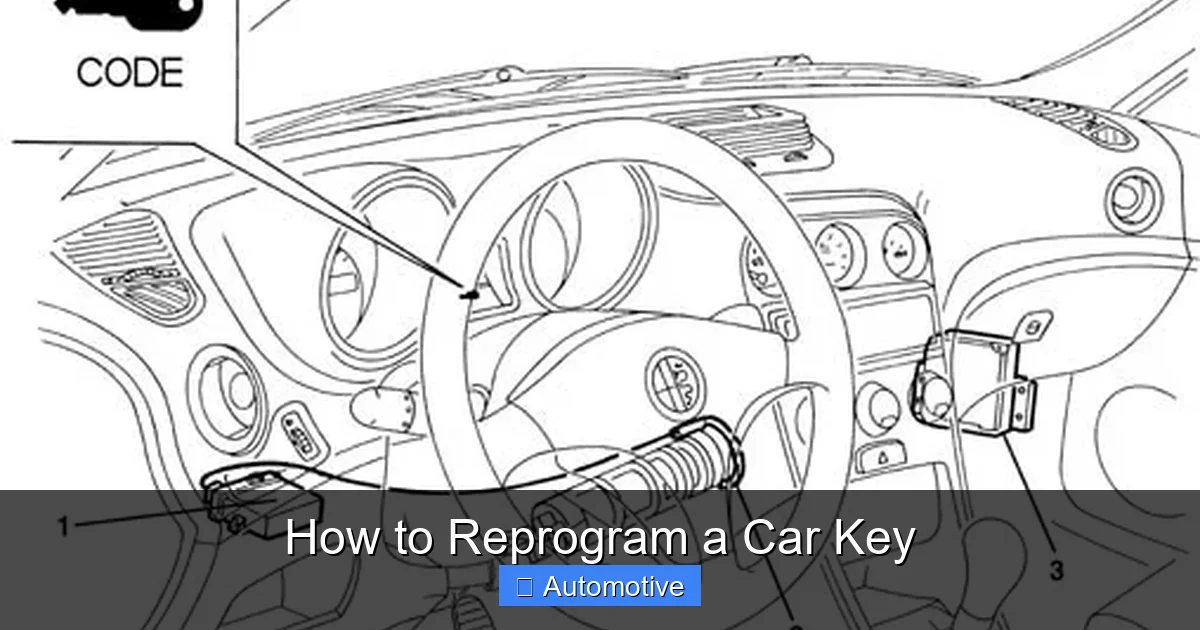
1. Plug the scanner into the OBD2 port (usually under the dashboard near the steering wheel).
2. Turn the ignition to “ON.”
3. Follow the scanner’s prompts to select “Key Programming” or “Immobilizer Reset.”
4. Insert the new key when prompted.
5. Wait for confirmation that programming is complete.
For Remote Fobs:
1. Sit in the driver’s seat with all doors closed.
2. Press and hold the “Lock” and “Unlock” buttons simultaneously for 10–15 seconds.
3. Release and press “Lock” once.
4. The car may chirp or flash lights to confirm.
5. Test the remote.
Step 5: Test the Key
After programming, test every function:
– Does the key start the car?
– Do the remote buttons lock and unlock the doors?
– Does the trunk release work?
– Does the alarm activate/deactivate?
If anything doesn’t work, repeat the process or check for errors.
Step 6: Reconnect the Battery (if disconnected)
If you disconnected the battery, reconnect it and ensure all systems are functioning properly.
Step 7: Save Your Records
Write down the date, key type, and programming method used. Keep this with your vehicle documents in case you need to reprogram again.
Common Challenges and How to Solve Them
Even with the best preparation, things can go wrong. Here are some common issues and how to fix them.
Key Won’t Start the Car
If the key turns but the engine won’t start, the transponder chip may not be programmed correctly. Double-check the programming steps. Some vehicles require two working keys to program a third—if you only have one, you may need professional help.
Remote Buttons Don’t Work
This could mean the remote wasn’t programmed, or the battery is dead. Replace the battery and try reprogramming. If it still doesn’t work, the fob may be damaged.
Scanner Can’t Connect
Make sure the OBD2 port is clean and the scanner is compatible. Try a different scanner or update the software. Some vehicles require the ignition to be in a specific position.
Error Messages During Programming
Read the error code on your scanner. Common issues include “Key Not Recognized” or “Immobilizer Fault.” These often mean the key isn’t compatible or the system needs a reset.
Only One Key Works
Some systems require all keys to be programmed at the same time. If you program a new key, the old one may stop working. Always program all keys together.
Vehicle Security Light Stays On
This indicates a problem with the immobilizer system. Try reprogramming again. If the light remains on, consult a professional.
When to Call a Professional
While many key programming tasks can be done at home, some situations call for expert help.
High-Security Systems
Vehicles with advanced immobilizers—like Ford’s PATS, GM’s VATS, or Toyota’s immobilizer—often require dealership-level tools. Attempting to bypass these can trigger security locks.
Smart Keys and Proximity Systems
These keys use encrypted signals and complex algorithms. Reprogramming usually requires a factory scan tool or a certified locksmith.
No Working Keys
If you’ve lost all keys, the process is more complex. You may need to reset the entire immobilizer system, which often requires the Vehicle Identification Number (VIN) and proof of ownership.
Repeated Failures
If you’ve tried multiple times and the key still won’t work, there may be a hardware issue—like a faulty chip or damaged receiver in the car.
Warranty Concerns
If your car is still under warranty, DIY programming could void it. Check with the manufacturer before proceeding.
A professional locksmith or dealership can often complete the job in under an hour. While it may cost $100–$300, it’s worth it for peace of mind.
Tips for Success and Prevention
Reprogramming a car key is easier when you’re prepared. Here are some tips to make the process smoother—and avoid needing to do it again.
Always Have a Spare Key
Keep a spare key in a safe place—like a locked drawer at home or with a trusted family member. This prevents emergencies.
Use a Key Organizer
If you have multiple keys, use a labeled organizer to keep track of which is which.
Replace Batteries Regularly
Remote fob batteries typically last 2–3 years. Replace them before they die to avoid losing functionality.
Keep Your VIN Handy
Your Vehicle Identification Number is essential for ordering keys and programming. Store it in your phone or glove compartment.
Learn Your Car’s System
Spend a few minutes reading about your car’s security features. Knowing how your immobilizer works can save time and frustration.
Invest in a Quality OBD2 Scanner
If you own multiple vehicles or plan to do more DIY repairs, a good scanner pays for itself over time.
Document Everything
Keep a log of all key-related activities—programming dates, key types, and any issues. This helps if you need to troubleshoot later.
Conclusion
Reprogramming a car key might seem intimidating at first, but with the right knowledge and tools, it’s a manageable task for many drivers. Whether you’re dealing with a simple transponder key or a high-tech smart fob, understanding your vehicle’s system is the key to success.
Start by identifying your key type and gathering the necessary tools. Follow the step-by-step process carefully, and don’t hesitate to seek professional help if you hit a wall. Remember, safety and accuracy are more important than speed.
By taking the time to reprogram your car key correctly, you’re not just saving money—you’re gaining confidence in your ability to handle automotive challenges. And who knows? You might just become the go-to person for car key issues in your family.
With this guide, you’re well-equipped to tackle the task. So grab your tools, stay calm, and get that key working like new.
Frequently Asked Questions
Can I reprogram a car key myself?
Yes, many car keys—especially transponder and remote fobs—can be reprogrammed at home using manual methods or an OBD2 scanner. However, smart keys and high-security systems often require professional tools.
How much does it cost to reprogram a car key?
DIY reprogramming can cost as little as $20 for a key blank and battery. Professional services typically range from $100 to $300, depending on the vehicle and key type.
Will reprogramming a key disable the old one?
It depends on the vehicle. Some systems allow multiple keys to work, while others require all keys to be reprogrammed together. Always check your owner’s manual.
What if I lost all my car keys?
If you have no working keys, you’ll likely need a locksmith or dealership. They can create a new key and reprogram the system using your VIN and proof of ownership.
Can I use a key from another car?
No. Car keys are programmed specifically to one vehicle’s immobilizer system. A key from another car won’t work, even if it fits the ignition.
How long does it take to reprogram a car key?
Manual methods can take 5–15 minutes. Using an OBD2 scanner may take 10–30 minutes, depending on the vehicle. Professional services are usually faster.