
How to Connect a Key Fob to a Car

Connecting a key fob to your car doesn’t have to be complicated. Whether you’ve lost your original, bought a replacement, or just upgraded your vehicle, this guide walks you through the process with clear, practical steps. From understanding key fob types to troubleshooting common issues, you’ll be back on the road with full remote access in no time.
Key Takeaways
- Know your key fob type: Basic, smart, and proximity fobs require different connection methods and tools.
- Check compatibility first: Not all fobs work with every car—verify make, model, and year before purchasing.
- Use the owner’s manual: Your car’s manual often includes specific programming instructions for your key fob.
- DIY vs. professional help: Some fobs can be programmed at home, while others require a dealership or locksmith.
- Battery matters: A weak or dead battery can prevent successful pairing—always check before starting.
- Follow timing precisely: Many programming steps are time-sensitive; rushing can cause failure.
- Test after setup: Always verify all functions (lock, unlock, trunk, panic) work before relying on the fob.
📑 Table of Contents
Understanding Key Fobs: What You Need to Know
Before you even think about connecting a key fob to your car, it’s important to understand what a key fob actually is—and why it matters. A key fob is a small, handheld electronic device that communicates with your vehicle using radio frequency (RF) signals. It allows you to lock and unlock doors, open the trunk, start the engine remotely (in some models), and even activate the panic alarm—all without physically inserting a key into the door or ignition.
Modern key fobs come in several types, each with different capabilities and connection requirements. The most common include basic remote fobs (used for locking and unlocking), smart keys (which allow keyless entry and push-button start), and proximity fobs (which detect your presence and unlock the car automatically). Knowing which type your car uses is the first step toward successfully connecting a new or replacement fob.
Types of Key Fobs
Let’s break down the main types of key fobs so you can identify yours:
- Basic Remote Fob: This is the most common type. It has buttons for lock, unlock, trunk release, and sometimes a panic button. It requires you to press a button to send a signal to the car. These are typically used in older or base-model vehicles.
- Smart Key Fob: Also known as a keyless entry fob, this type allows you to unlock the car by simply touching the door handle or pressing a button near the door. It often includes a push-button start feature, eliminating the need for a physical key. Found in mid-to-high-end vehicles.
- Proximity Fob: This advanced version uses sensors to detect when you’re near the car. It automatically unlocks when you approach and locks when you walk away. Some even allow you to start the engine by pressing a button inside the car—no key insertion needed. Common in luxury brands like BMW, Mercedes, and Tesla.
Understanding your fob type helps determine the programming method. For example, a basic remote might be programmable at home, while a smart or proximity fob often requires specialized tools or a visit to the dealership.
Why Key Fob Connection Matters
Connecting a key fob isn’t just about convenience—it’s about security and functionality. A properly paired fob ensures that only authorized users can access your vehicle. It also enables features like remote start, which can warm up your car on a cold morning or cool it down in summer. Without a working fob, you may be stuck using a physical key, which can be inconvenient and, in some cases, disable certain vehicle functions.
Additionally, modern key fobs use encrypted signals to prevent theft. If your fob isn’t properly connected, your car’s immobilizer system might not recognize it, preventing the engine from starting. This is especially true for vehicles with advanced anti-theft systems. So, taking the time to connect your key fob correctly is essential for both safety and usability.
Preparing to Connect Your Key Fob
Now that you understand what a key fob is and why it’s important, let’s get ready to connect one. Preparation is key—literally. Rushing into the process without the right tools or information can lead to frustration, wasted time, or even damage to your vehicle’s electronics.
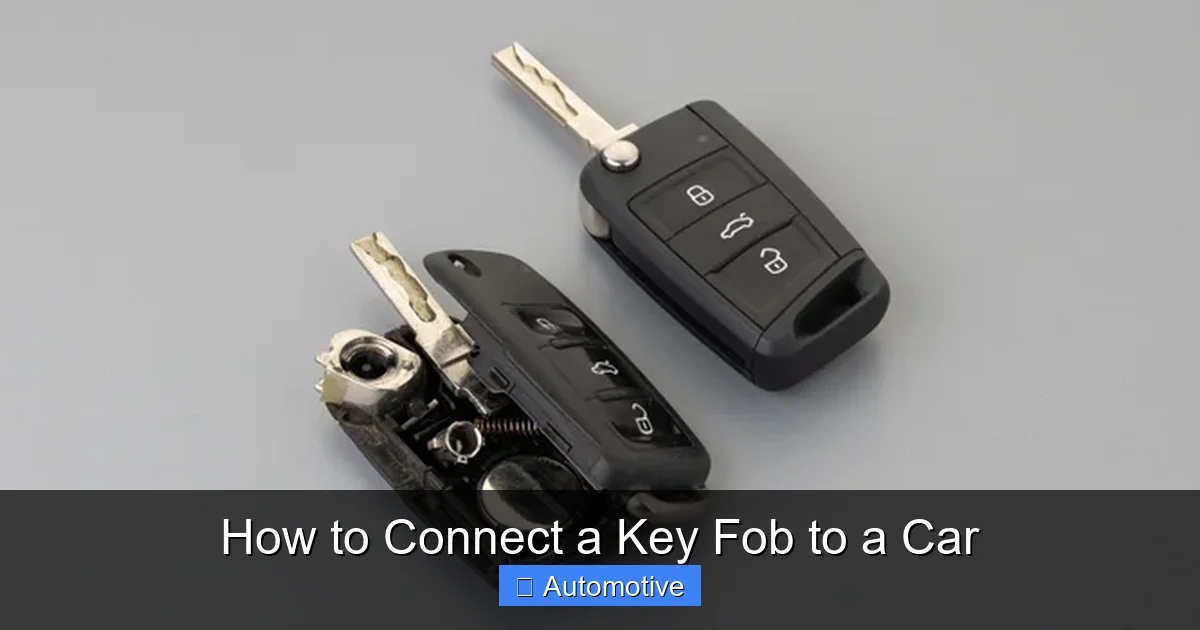
Visual guide about How to Connect a Key Fob to a Car
Image source: carkeysflorida.com
Gather the Right Tools and Information
Before you begin, make sure you have the following:
- Replacement or new key fob: Ensure it’s compatible with your car’s make, model, and year. You can usually find this information in your owner’s manual or by contacting the manufacturer.
- Owner’s manual: This is your best friend. It often includes specific programming instructions tailored to your vehicle.
- Working key (if applicable): Some programming methods require an existing working key to add a new fob.
- Fresh batteries: A weak or dead battery in the fob can prevent it from transmitting signals. Replace the battery if it’s old or showing signs of low power.
- Access to the car’s OBD-II port (in some cases): Certain programming methods require a diagnostic tool plugged into this port.
- Patience and focus: Programming steps are often time-sensitive. Rushing can cause the process to fail.
It’s also a good idea to park your car in a safe, well-lit area with minimal distractions. You’ll need to be inside the vehicle for most programming steps, so make sure the doors are unlocked and the interior is accessible.
Check Compatibility and Authenticity
Not all key fobs are created equal. Buying a cheap, generic fob online might save you money upfront, but it could lead to compatibility issues or security risks. Always verify that the fob is designed for your specific vehicle. Look for OEM (Original Equipment Manufacturer) parts or reputable aftermarket brands that guarantee compatibility.
You can check compatibility by entering your car’s VIN (Vehicle Identification Number) on the seller’s website or contacting the manufacturer directly. Avoid fobs that claim to work with “all vehicles”—these are often unreliable and may not pair correctly.
Also, be cautious of counterfeit fobs. These may look authentic but lack the proper encryption and signal strength. They can fail to connect or, worse, compromise your car’s security. Stick to trusted sources like dealerships, authorized retailers, or certified locksmiths.
Understand Your Car’s Programming Method
Different vehicles use different methods to connect a key fob. Some allow DIY programming, while others require professional tools. Here’s a quick overview:
- Onboard Programming: Many cars allow you to program a new fob using a sequence of actions—like turning the ignition on and off, pressing buttons, or opening and closing doors. This method is common in older models and some mid-range vehicles.
- Diagnostic Tool Required: Newer cars, especially those with smart or proximity fobs, often need a diagnostic scanner or software to pair the fob with the car’s computer. This usually requires a visit to a dealership or a professional locksmith.
- Dealer-Only Programming: Some high-end or luxury vehicles only allow programming at the dealership. This is due to advanced security systems and encrypted communication protocols.
Your owner’s manual will tell you which method applies to your car. If you can’t find the information, search online using your car’s make, model, and year followed by “key fob programming.” Many forums and video tutorials offer step-by-step guides.
Step-by-Step Guide to Connecting a Key Fob
Now for the main event: actually connecting your key fob to your car. The process varies depending on your vehicle, but the general principles remain the same. Below is a detailed, step-by-step guide that covers the most common methods. Always refer to your owner’s manual for model-specific instructions.
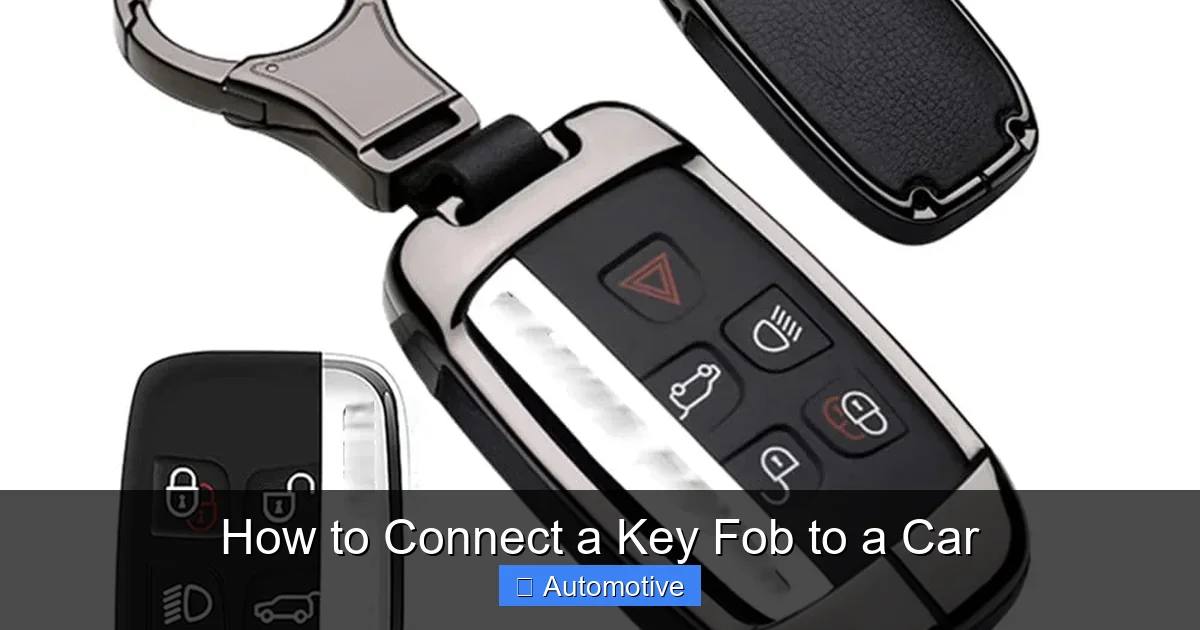
Visual guide about How to Connect a Key Fob to a Car
Image source: m.media-amazon.com
Method 1: Onboard Programming (DIY Method)
This method works for many older and some newer vehicles. It doesn’t require special tools—just your car, the fob, and a bit of patience.
Step 1: Enter Programming Mode
Turn the ignition to the “ON” position (but don’t start the engine). On some cars, you’ll need to do this within a specific time frame—usually 5 to 10 seconds. Watch for dashboard lights to flash or hear a chime, indicating the car is ready to accept a new fob.
Step 2: Press the Lock Button
Press and hold the “Lock” button on the new fob for 5 to 10 seconds. You may see the door locks cycle (lock and unlock) or hear a horn beep. This confirms the fob is being recognized.
Step 3: Add Additional Fobs (Optional)
If you have more than one fob to program, repeat Step 2 for each one within the time window. Most cars allow up to 4 fobs to be programmed at once.
Step 4: Exit Programming Mode
Turn the ignition back to “OFF” or remove the key. The car should exit programming mode automatically. Test all fobs to ensure they work.
Example: On a 2010 Honda Accord, you turn the key to “ON,” press the “Lock” button on the fob, wait for the locks to cycle, then turn the key off. It’s that simple!
Method 2: Using a Working Key (Two-Key Method)
Some vehicles require an existing working key to program a new one. This method is common in Ford, GM, and Chrysler models.
Step 1: Insert the Working Key
Insert your working key into the ignition and turn it to “ON” for 3 seconds, then back to “OFF.” Remove the key.
Step 2: Insert the New Key
Within 5 seconds, insert the new (unprogrammed) key and turn it to “ON” for 3 seconds, then back to “OFF.” Remove it.
Step 3: Test the New Key
Insert the new key again and turn to “ON.” If the security light turns off, the key is programmed. If it blinks, repeat the process.
Tip: This method only works if you have at least one working key. If you’ve lost all keys, you’ll need professional help.
Method 3: Professional Programming (Dealer or Locksmith)
For smart keys, proximity fobs, or vehicles with advanced security systems, DIY methods often won’t work. In these cases, you’ll need to visit a dealership or hire a certified automotive locksmith.
Dealerships have access to manufacturer-specific software and tools that can sync the fob with your car’s immobilizer system. While this option is more expensive—often $100 to $300—it’s the most reliable for complex systems.
Locksmiths with automotive expertise can sometimes program fobs at a lower cost and with faster service. They use portable diagnostic tools to communicate with your car’s computer. Always choose a licensed and insured locksmith with good reviews.
Example: A 2020 Toyota Camry with a smart key requires a diagnostic tool to program a new fob. A dealership can do this in under an hour, but a locksmith might offer the same service for less.
Method 4: Using an OBD-II Programmer
Some aftermarket tools allow you to program key fobs using the OBD-II port under your dashboard. These devices connect to your car’s computer and guide you through the process via a mobile app or built-in screen.
Popular brands like Autel, Foxwell, and MVP Pro offer OBD-II programmers that support key fob programming for many makes and models. While these tools can be pricey ($200–$800), they’re a great investment if you frequently work on cars or want to avoid dealership fees.
Tip: Always back up your car’s settings before using an OBD-II programmer. Incorrect use can cause system errors.
Troubleshooting Common Key Fob Connection Issues
Even with the best preparation, things can go wrong. Here are some common issues and how to fix them.
Visual guide about How to Connect a Key Fob to a Car
Image source: thedailyautomotive.com
Fob Not Responding After Programming
If your fob doesn’t work after programming, the first thing to check is the battery. A weak battery can’t transmit a strong enough signal. Replace it with a fresh CR2032 or similar coin cell battery.
Also, ensure you followed the programming steps exactly. Timing is critical—most sequences must be completed within 10 to 30 seconds. If you missed a step, try again from the beginning.
Car Doesn’t Recognize the Fob
If the car’s dashboard shows a “Key Not Detected” message, the fob may not be properly synced with the immobilizer. This is common with smart keys. In this case, professional programming is usually required.
You can also try resetting the car’s computer by disconnecting the battery for 10 minutes. This clears temporary glitches and may restore recognition.
Only Some Buttons Work
If the lock and unlock buttons work but the trunk or panic button doesn’t, the fob may not be fully programmed. Some vehicles require a second programming cycle for additional functions.
Check your owner’s manual for multi-step programming instructions. You may need to press specific button combinations or repeat the process.
Interference from Other Devices
Electronic interference from phones, power lines, or other RF devices can disrupt the fob’s signal. Try programming the fob in a different location, away from potential sources of interference.
Also, avoid holding the fob near your body during programming—your body can absorb RF signals. Hold it away from your chest or use a key fob extender.
Maintaining Your Key Fob for Long-Term Use
Once your key fob is connected and working, proper maintenance ensures it stays that way. A little care goes a long way in preventing future issues.
Replace the Battery Regularly
Most key fob batteries last 2 to 3 years. Signs of a dying battery include reduced range, delayed response, or intermittent operation. Replace the battery as soon as you notice these symptoms.
To replace it, use a small screwdriver or coin to open the fob casing. Remove the old battery, insert a new one (matching the + and – terminals), and snap the case back together.
Keep It Clean and Dry
Dirt, moisture, and extreme temperatures can damage the fob’s internal components. Avoid exposing it to water, snow, or direct sunlight for long periods. If it gets wet, dry it thoroughly before use.
Clean the buttons and casing with a soft, dry cloth. Avoid harsh chemicals or abrasive materials that could scratch the surface.
Store It Properly
When not in use, store your key fob in a cool, dry place. Avoid keeping it in your pocket with metal objects like coins or keys, which can cause accidental button presses or signal interference.
Some people use Faraday pouches—special bags that block RF signals—to prevent relay attacks (a type of car theft where thieves amplify the fob’s signal). While not always necessary, they add an extra layer of security.
Update Firmware (If Applicable)
Some advanced key fobs, especially those from luxury brands, can receive firmware updates. These updates improve performance, fix bugs, and enhance security. Check your manufacturer’s website or app for update options.
When to Seek Professional Help
While many key fob connections can be done at home, there are times when professional help is the best option.
If you’ve lost all your keys, your car uses a smart or proximity fob, or you’ve tried multiple programming methods without success, it’s time to call a professional. Dealerships and certified locksmiths have the tools and expertise to handle complex systems safely and efficiently.
Also, if your car’s security system is malfunctioning—such as the immobilizer light staying on or the engine refusing to start—professional diagnosis is essential. Attempting DIY fixes on advanced systems can cause further damage.
Remember, your car’s security is worth the investment. A properly functioning key fob protects your vehicle and gives you peace of mind.
Conclusion
Connecting a key fob to your car might seem daunting at first, but with the right knowledge and preparation, it’s a manageable task. Whether you’re using a simple DIY method or seeking professional help, the key is to understand your vehicle’s requirements and follow the steps carefully.
From identifying your fob type to troubleshooting common issues, this guide covers everything you need to know. Remember to check compatibility, use fresh batteries, and test all functions after setup. And when in doubt, don’t hesitate to consult your owner’s manual or contact a professional.
With a working key fob, you’ll enjoy the convenience, security, and modern features that make driving safer and more enjoyable. So grab your fob, follow the steps, and get back on the road with confidence.
Frequently Asked Questions
Can I program a key fob myself?
Yes, many basic and some smart key fobs can be programmed at home using onboard methods. However, advanced systems often require professional tools or a dealership visit.
How much does it cost to connect a key fob?
DIY programming is free if you have the right fob and tools. Professional programming costs $50–$300, depending on the vehicle and service provider.
What if I lost all my keys?
If you’ve lost all keys, you’ll likely need a locksmith or dealership to create and program a new fob. This process may require proof of ownership and vehicle registration.
Can I use a generic key fob?
Generic fobs may work for basic functions, but they often lack proper encryption and compatibility. OEM or certified aftermarket fobs are recommended for reliability and security.
Why won’t my key fob connect after battery replacement?
A new battery should restore function, but if the fob still doesn’t work, it may need reprogramming. Some fobs lose their sync when the battery dies.
How long does key fob programming take?
DIY methods usually take 5–15 minutes. Professional programming can take 30 minutes to an hour, depending on the vehicle and technician.
