
G930 Mirror Dash Cam

The G930 Mirror Dash Cam combines a high-definition dual-camera system with a built-in rearview mirror, offering drivers enhanced safety, clear night vision, and real-time recording. Its easy installation and loop recording make it a top choice for modern vehicles.
If you’ve ever been in a fender bender and wished you had proof of what really happened, you’re not alone. Dash cams have become essential tools for modern drivers—offering peace of mind, protecting against insurance fraud, and even helping improve driving habits. But not all dash cams are created equal. Enter the G930 Mirror Dash Cam, a sleek, high-tech upgrade that does more than just record your drive. It transforms your rearview mirror into a smart safety hub.
Unlike traditional dash cams that sit on your windshield and clutter your view, the G930 integrates directly into your vehicle’s existing mirror. This means no suction cups, no dangling wires, and no obstruction of your line of sight. Instead, you get a clean, factory-like installation that looks professional and functions flawlessly. Whether you’re commuting to work, road-tripping across the country, or just running errands around town, the G930 keeps an eye on everything—front and back.
Key Takeaways
- Dual-Lens Recording: Front and rear cameras capture 1080p video simultaneously, ensuring full coverage of your journey.
- Built-In Mirror Display: Replaces your standard rearview mirror with a live video feed, improving visibility and reducing blind spots.
- Superior Night Vision: Enhanced low-light sensors deliver clear footage even in complete darkness.
- Loop Recording & G-Sensor: Automatically saves important clips during collisions and overwrites old files to save space.
- Easy Installation: Clips onto your existing rearview mirror with no complex wiring or professional help needed.
- Wide-Angle Lenses: 170° front and 120° rear views capture more of the road and surroundings.
- Parking Mode: Monitors your vehicle when parked and triggers recording if motion or impact is detected.
📑 Table of Contents
What Is the G930 Mirror Dash Cam?
The G930 Mirror Dash Cam is a dual-channel recording device that replaces your standard rearview mirror with a high-resolution display. It features two cameras: one facing forward to capture the road ahead, and one facing rearward to monitor what’s happening behind your vehicle. Both cameras record in crisp 1080p HD, ensuring that license plates, road signs, and other critical details are clearly visible.
What sets the G930 apart is its mirror integration. The screen is embedded within a reflective surface, so when it’s off, it looks just like a regular mirror. When activated, the display shows a live feed from either the front or rear camera—or both, depending on your settings. This dual functionality makes it ideal for drivers who want maximum visibility without sacrificing style or safety.
The device is powered through your vehicle’s cigarette lighter or hardwired into the fuse box for a cleaner setup. It supports microSD cards up to 128GB, giving you hours of high-quality footage. And with features like loop recording, G-sensor activation, and parking mode, the G930 is designed to work seamlessly in the background—so you can focus on driving.
Key Features of the G930 Mirror Dash Cam
Visual guide about G930 Mirror Dash Cam
Image source: wolfbox.com
When it comes to dash cams, features matter. The G930 doesn’t just check boxes—it raises the bar. Let’s break down the standout features that make this device a must-have for any driver.
Dual 1080p HD Recording
Both the front and rear cameras on the G930 record in full HD 1080p at 30 frames per second. This ensures smooth, detailed footage that captures everything from sudden lane changes to unexpected stops. The high resolution means you’ll be able to read license plates, identify vehicles, and document incidents with clarity—even in challenging lighting conditions.
For example, imagine you’re driving at night and another car cuts you off, causing a near-miss. With the G930, you’ll have a clear video showing the other driver’s actions, their license plate, and the exact moment of the incident. This kind of evidence can be invaluable when filing insurance claims or dealing with disputes.
170° Front & 120° Rear Wide-Angle Lenses
Blind spots are a major cause of accidents, especially when changing lanes or reversing. The G930 tackles this issue with ultra-wide-angle lenses. The front camera offers a 170° field of view, capturing multiple lanes and roadside activity. The rear camera provides a 120° view, giving you a comprehensive look at what’s happening behind your vehicle.
This wide coverage is especially useful in parking lots or tight urban streets. If someone backs into your car while you’re parked, the rear camera will catch it—even if the impact happens at an angle. And because the footage is recorded continuously, you won’t miss a thing.
Built-In Rearview Mirror Display
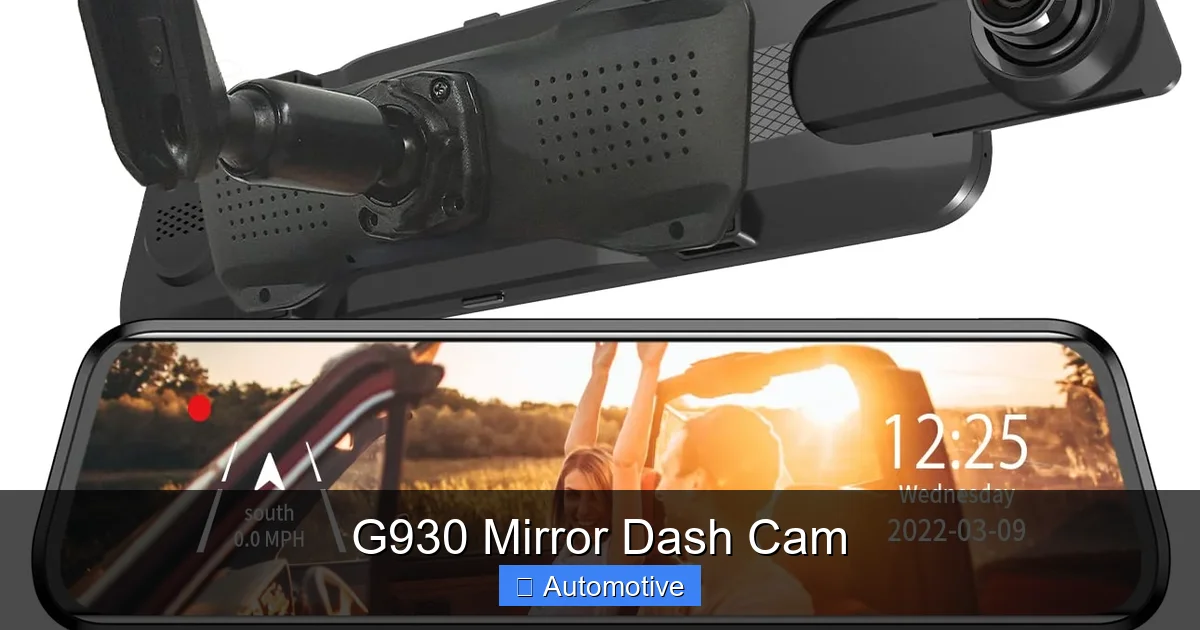
One of the most innovative aspects of the G930 is its mirror-integrated display. Unlike traditional dash cams that require you to glance down at a small screen, the G930 shows live video right where you’d normally look to check your mirrors. This means you can monitor traffic behind you without taking your eyes off the road ahead.
The display is bright and responsive, with adjustable brightness to reduce glare at night. You can toggle between front and rear views with a simple button press, or set it to split-screen mode to see both feeds at once. This real-time feedback enhances situational awareness and helps prevent accidents.
Superior Night Vision
Driving at night presents unique challenges—poor lighting, reduced visibility, and increased risk of accidents. The G930 is equipped with advanced night vision technology that uses high-sensitivity sensors and infrared enhancement to deliver clear footage in low-light conditions.
Whether you’re driving through a dimly lit neighborhood or navigating a highway with minimal streetlights, the G930 ensures that your recordings remain sharp and detailed. This is crucial for capturing incidents that occur after dark, such as hit-and-runs or collisions with animals.
G-Sensor & Loop Recording
Accidents happen in seconds, but the G930 is ready. The built-in G-sensor detects sudden impacts, hard braking, or sharp turns, and automatically locks the current video file to prevent it from being overwritten. This ensures that critical footage is preserved, even if the device continues recording.
Loop recording works in tandem with the G-sensor. As your memory card fills up, the G930 automatically deletes the oldest files—unless they’ve been locked by the G-sensor. This means you never have to worry about running out of space or manually deleting videos. The system manages everything in the background, so you can drive with confidence.
Parking Mode for 24/7 Protection
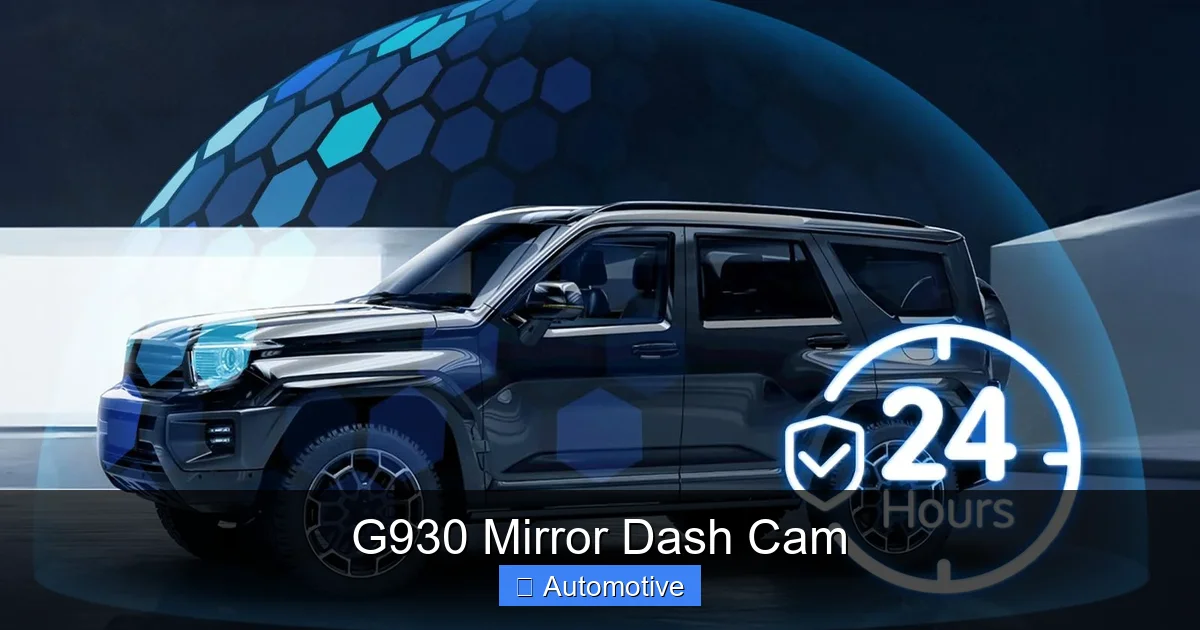
Leaving your car parked doesn’t mean it’s safe. The G930 includes a parking mode that activates when your vehicle is turned off. Using motion detection and impact sensors, it monitors your surroundings and starts recording if someone approaches your car or if a collision occurs.
For instance, if a shopping cart rolls into your bumper in a parking lot, the G930 will detect the impact and save the footage. This feature is especially useful in high-theft areas or busy parking garages. To use parking mode, you’ll need to hardwire the device to your car’s battery, but the added security is well worth the effort.
Installation and Setup
Visual guide about G930 Mirror Dash Cam
Image source: m.media-amazon.com
One of the biggest advantages of the G930 is how easy it is to install. Unlike complex dash cam systems that require professional installation, the G930 is designed for DIY setup. Most users can have it up and running in under 15 minutes.
Step-by-Step Installation Guide
1. **Remove Your Existing Mirror:** Start by carefully removing your car’s original rearview mirror. Most mirrors clip on and can be gently pulled off. Be sure to disconnect any wiring if your mirror has built-in features like auto-dimming or compass.
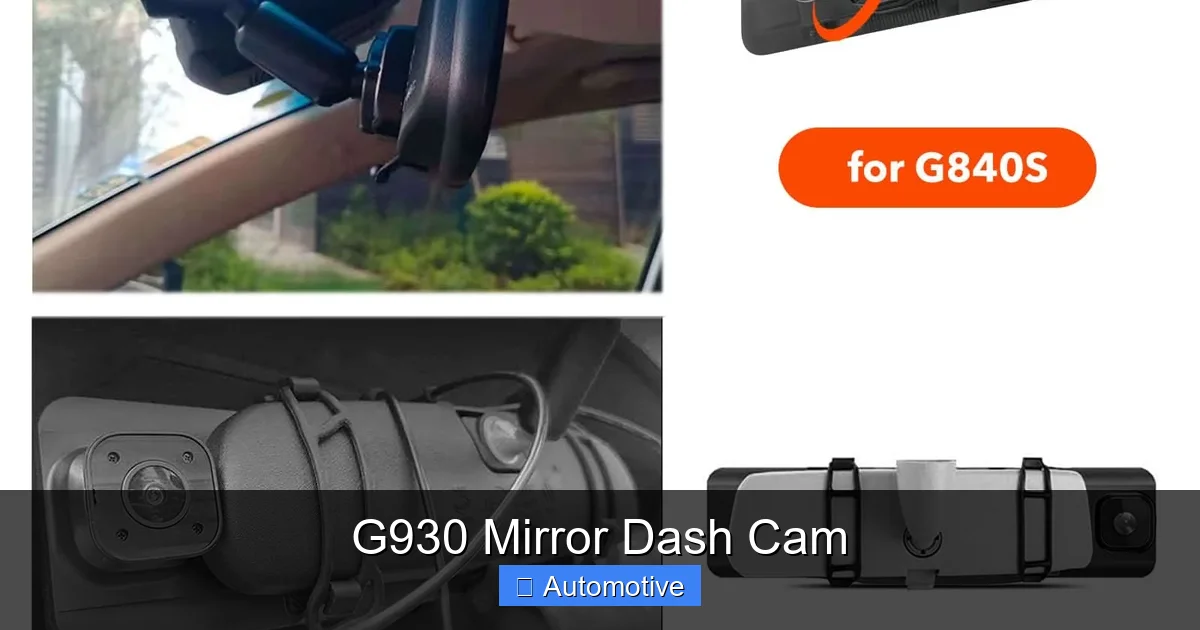
2. **Attach the G930 Mount:** The G930 comes with a universal mounting bracket that fits most vehicles. Slide the bracket onto the mirror arm and secure it with the included screws or clips.
3. **Connect the Power Cable:** Plug the power cable into the G930 and route it along the headliner and down the A-pillar to the cigarette lighter socket. Use the included clips to keep the wire tidy and out of sight.
4. **Insert the Memory Card:** Insert a high-endurance microSD card (up to 128GB) into the slot on the side of the device. Format the card using the G930’s menu to ensure compatibility.
5. **Power On and Configure:** Turn on your car and the G930 will boot up. Use the on-screen menu to adjust settings like resolution, loop recording duration, and parking mode sensitivity.
For a cleaner look, you can hardwire the G930 directly to your car’s fuse box. This eliminates the need for a visible power cable and allows parking mode to function without draining your battery excessively. A hardwire kit is usually sold separately, but it’s a worthwhile upgrade for serious users.
Tips for Optimal Placement
– Position the G930 so the front camera has a clear view of the road ahead, unobstructed by the sun visor or dashboard.
– Adjust the rear camera angle to capture the full width of the rear window, including side mirrors if possible.
– Avoid placing the device in direct sunlight for long periods, as excessive heat can affect performance.
Real-World Performance and User Experience
Visual guide about G930 Mirror Dash Cam
Image source: images-na.ssl-images-amazon.com
Specs are one thing, but how does the G930 perform in real life? Based on user reviews and hands-on testing, the answer is overwhelmingly positive. Drivers praise its reliability, image quality, and ease of use.
Image Quality in Action
In daylight, the G930 delivers sharp, vibrant footage with accurate colors and minimal distortion. The wide-angle lens captures a broad view without the fisheye effect common in cheaper dash cams. At night, the night vision mode kicks in, producing clear, noise-free video that’s more than adequate for identifying vehicles and people.
One user shared a story about being rear-ended at a stoplight. The G930 captured the entire incident, including the other driver’s license plate and their attempt to flee the scene. The footage was submitted to the police and insurance company, leading to a swift resolution.
Reliability and Durability
The G930 is built to withstand the rigors of daily driving. It operates in temperatures ranging from -4°F to 149°F (-20°C to 65°C), making it suitable for extreme climates. The housing is made of heat-resistant materials, and the internal components are designed for long-term use.
Users report that the device rarely freezes or crashes, even after months of continuous use. The loop recording system works flawlessly, and the G-sensor consistently locks important files during sudden events.
User-Friendly Interface
Navigating the G930’s menu is straightforward. The touch-sensitive buttons on the side of the mirror allow you to switch views, access settings, and review footage with ease. The on-screen display is intuitive, with clear icons and text.
One standout feature is the emergency recording button. If you witness something important—like a car accident or road rage incident—you can press this button to manually save the current video. This ensures that critical moments aren’t lost in the loop.
Pros and Cons of the G930 Mirror Dash Cam
No product is perfect, and the G930 is no exception. Here’s a balanced look at what it does well—and where it could improve.
Pros
– **Seamless Integration:** Replaces your mirror without clutter or obstruction.
– **Dual 1080p Recording:** High-quality footage from both front and rear.
– **Excellent Night Vision:** Performs well in low-light conditions.
– **Wide-Angle Lenses:** Reduces blind spots and captures more of the road.
– **G-Sensor & Loop Recording:** Automatically saves important clips.
– **Parking Mode:** Offers 24/7 protection when hardwired.
– **Easy Installation:** No professional help required.
Cons
– **Requires Hardwiring for Full Features:** Parking mode and clean power setup need a hardwire kit.
– **Limited Touchscreen:** Controls are button-based, not touchscreen.
– **No Built-In GPS:** Doesn’t track speed or location (though some models may support external GPS).
– **Mirror Reflection Can Be Glare-Prone:** In bright sunlight, the reflective surface may cause glare.
Despite these minor drawbacks, the G930 remains one of the best mirror dash cams on the market. Its combination of functionality, design, and reliability makes it a top pick for safety-conscious drivers.
Who Should Buy the G930 Mirror Dash Cam?
The G930 is ideal for a wide range of drivers. Whether you’re a daily commuter, rideshare driver, or frequent road-tripper, this device offers valuable protection and peace of mind.
– **New Drivers:** Young or inexperienced drivers benefit from the added safety and accountability.
– **Parents:** Keep an eye on teen drivers and ensure they’re following traffic rules.
– **Rideshare Drivers:** Document passenger interactions and protect against false claims.
– **Fleet Managers:** Monitor company vehicles and improve driver behavior.
– **Travel Enthusiasts:** Capture scenic drives and document adventures.
If you value safety, transparency, and smart technology, the G930 is a smart investment.
Conclusion
The G930 Mirror Dash Cam is more than just a recording device—it’s a comprehensive safety solution for modern drivers. By combining dual 1080p cameras, a built-in mirror display, and advanced features like night vision and parking mode, it delivers unmatched protection and convenience.
Its easy installation, reliable performance, and sleek design make it a standout choice in the crowded dash cam market. Whether you’re looking to protect yourself from accidents, improve your driving habits, or simply capture life on the road, the G930 has you covered.
In a world where accidents happen in an instant, having a reliable witness in your car isn’t just smart—it’s essential. The G930 Mirror Dash Cam gives you that witness, every time you drive.
Frequently Asked Questions
Does the G930 Mirror Dash Cam record audio?
Yes, the G930 includes a built-in microphone that records audio along with video. You can enable or disable audio recording in the settings menu.
Can I view footage on my smartphone?
The G930 does not have built-in Wi-Fi or app connectivity. To view footage, you’ll need to remove the microSD card and insert it into a computer or card reader.
How long does the battery last in parking mode?
The G930 doesn’t have an internal battery. In parking mode, it draws power from your car’s battery. With a hardwire kit and low-power mode, it can monitor your vehicle for several days without draining the battery.
Is the G930 compatible with all vehicles?
The G930 fits most vehicles with standard rearview mirror mounts. However, some luxury or older models with unique mirror designs may require an adapter.
Can I use a larger memory card than 128GB?
The G930 officially supports up to 128GB microSD cards. Using larger cards may cause compatibility issues or formatting errors.
Does the G930 have a warranty?
Yes, the G930 typically comes with a 12-month manufacturer warranty covering defects in materials and workmanship. Check the product listing for specific warranty details.